

How Much Power Does a Full Smart Home System Use Monthly?
A complete security setup using Ring systems typically uses 15 to 35 kilowatt-hours of electricity per month in a standard house. That includes the small, steady draw from devices that stay on all day. We offer complete equipment packages through our Ring service catalog.
For homeowners in Arcola, Virginia, that works out to roughly two to five dollars on the monthly electric bill. Actual use depends on camera activity and transformer efficiency, along with siren standby power and the stability of your home network.
What's Inside This Guide
- The Core Hardware Drawing Power in Your Property
- What Shifts Your Monthly Electrical and Installation Cost
- Setup Tiers: Equipment Power Footprint and Scope
- Quiet Power Traps and Secondary Electrical Expenses
- Sensible Ways to Trim Wattage Without Sacrificing Security
- Real Questions Arcola Homeowners Ask About Smart Power
- Plan Your Low-Draw Setup in Arcola with NovaProHome
The Core Hardware Drawing Power in Your Property
To estimate ongoing energy use, we start with the equipment running on your home circuits 24 hours a day. Each part has a different job, from watching the property boundary to letting you control access at the door.
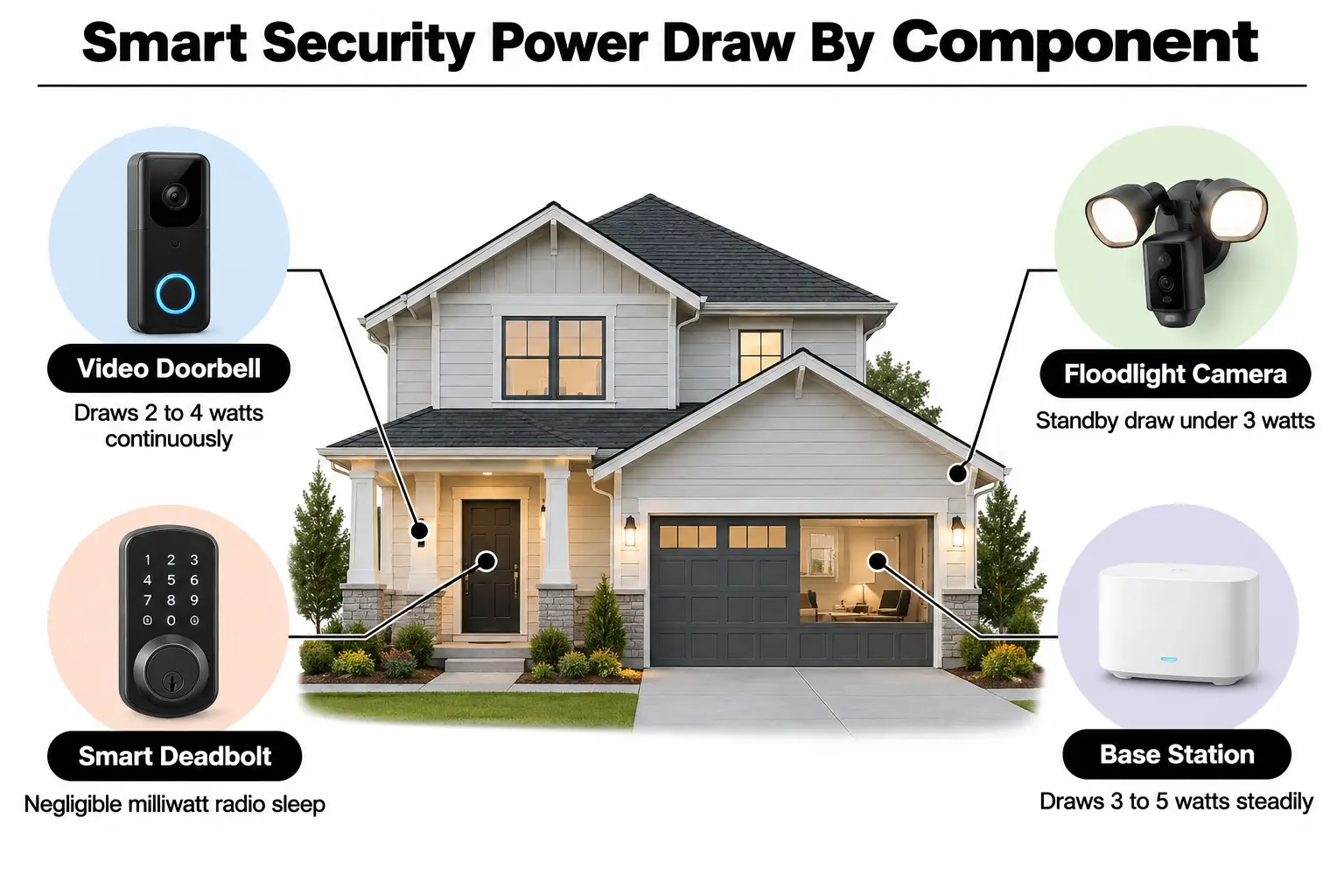
- Video doorbell transformer: Supplies the exterior camera and mechanical chime with continuous power. It typically reduces 120V household power to 16V or 24V AC, with a 20VA to 30VA capacity rating.
- Floodlight and spotlight cameras: Standby radar sensors use only milliwatts until something triggers them. The twin LED lights then draw 15 to 25 watts while lighting a recording.
- Central alarm base station: Runs continuously from a 5V micro-USB transformer. It maintains Z-Wave, the radio connection used to communicate with contact sensors, motion detectors, and keypads.
- Smart lock radios: Motorized deadbolts run mainly on dry-cell batteries that supply direct current. Small pulses of power send lock status changes back to the base station.
- Network routing and chimes: Wi-Fi extenders and plug-in alarm speakers draw a small, steady amount from wall outlets. That power keeps cameras synchronized without communication delays.
During a consultation with our smart home security team, we check each device circuit against your household panel capacity to keep the load balanced.
What Shifts Your Monthly Electrical and Installation Cost
Standby power tells only part of the story. Your home's layout and the condition of its wiring affect the electrical work needed. How often motion triggers the cameras also affects power use over time.
Video: Testing the Xiaomi Dafang 1080p camera's actual power use (cbm80amiga)
| Operating factor | Raises power use & cost when | Lowers power use & cost when |
|---|---|---|
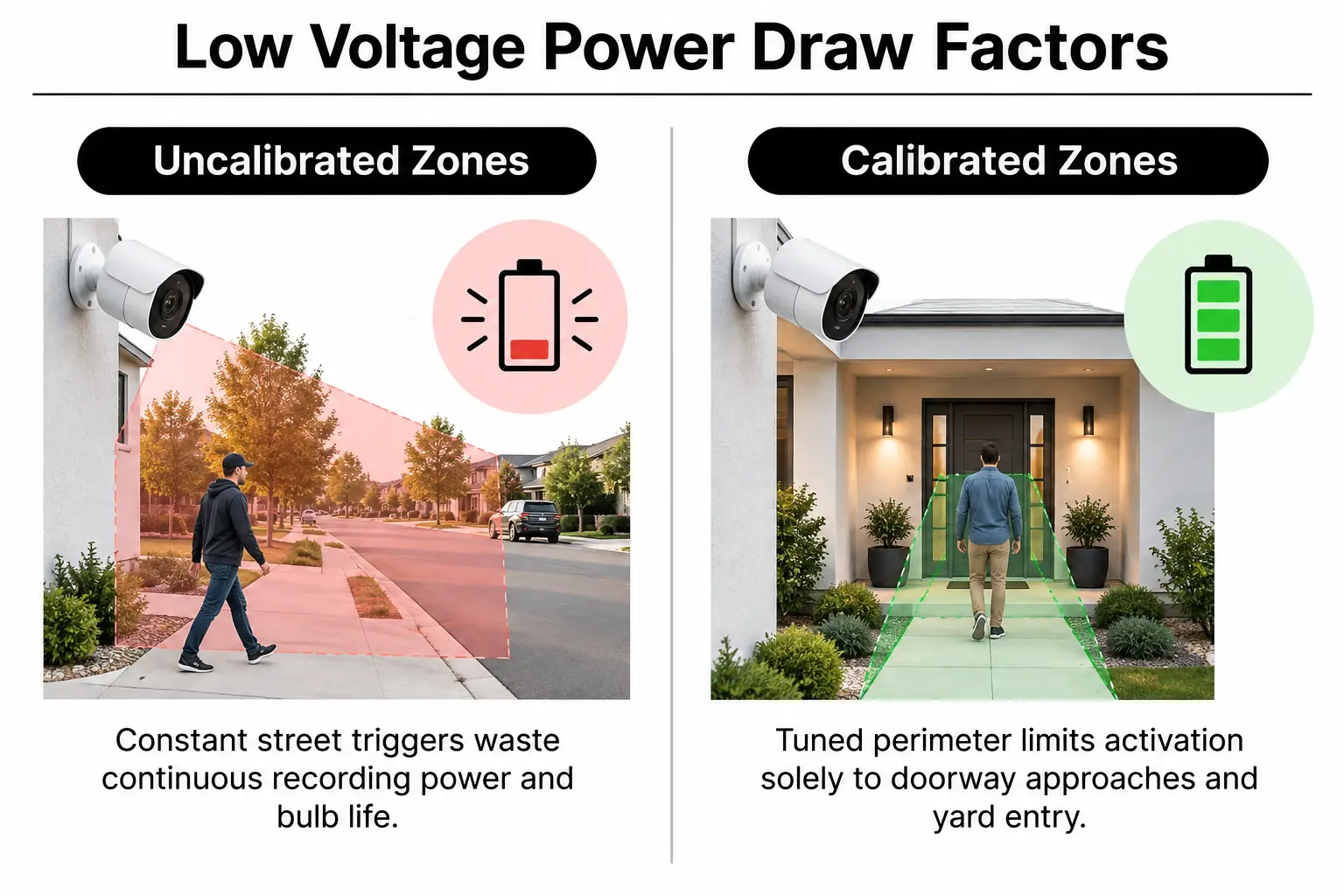
| Front porch traffic | The camera faces a busy street, so passing pedestrians repeatedly trigger recordings and floodlights. | Custom detection zones exclude passing cars and pedestrians, focusing instead on deliveries at the door. |
| Existing doorbell wiring | Thin, corroded bell wire needs replacing with new low-voltage lines from the breaker panel. | Existing 18AWG solid copper wire is intact and delivers full voltage to the chime. |
| Wi-Fi signal strength | A weak router signal forces camera antennas to transmit at their highest power. | Strong 5GHz or mesh connections between network devices allow radios to use less power. |
| Continuous live viewing | Streaming constantly to indoor monitors keeps camera processors running warm all day and night. | Devices stay in low-power motion-sensing standby until a visitor triggers them. |
| Chime box compatibility | Old mechanical chime plungers buzz and overheat under a smart doorbell's continuous load. | Suitable digital chime bridges or matching bypass kits keep the supply current regulated. |
Checking these details early helps avoid unexpected costs. Knowing how smart security works during a power outage also helps you choose equipment that keeps backup batteries charged without straining the circuits.
Setup Tiers: Equipment Power Footprint and Scope
Some homes need only front-door monitoring. Others need cameras around the whole property, and that extra equipment changes both monthly energy use and the installation work.
| Equipment level | Typical hardware included | Who it suits best |
|---|---|---|
| Tier 1 ($ Entry setup) | Hardwired smart doorbell, battery-backed base station, two contact sensors, and one entry keypad. | Townhomes and condos that need a view of the front door and prompt delivery protection, with little continuous power use. |
| Tier 2 ($$ Mid-range perimeter) | Doorbell, two high-output floodlight cameras, five contact sensors, interior siren, and smart lock integration. | Detached homes needing yard coverage and secure pet-sitter access, with a way to check porch activity immediately. |
| Tier 3 ($$$ Whole-property setup) | Doorbell, four exterior spotlight cameras, two indoor cameras with privacy shutters, glass break sensors, and a yard siren. | Large properties needing full boundary coverage and outbuilding monitoring, all controlled through one app. |
At NovaProHome, we bring genuine hardware to your home and install it in one visit. Correct installation keeps your cameras operating within the manufacturer's specifications from the first day.
Quiet Power Traps and Secondary Electrical Expenses
Most installation delays and unexpected increases in electricity use come from home wiring that hasn't been checked, rather than the devices themselves. These are common problems homeowners find during an upgrade:
- Undersized transformers: Older 10VA doorbell transformers cannot supply modern smart cameras adequately. They produce heat and cause devices to disconnect repeatedly.
- Wasted standby power: Cheap wall adapters for accessory screens waste more electricity while idle than efficient switching power supplies, which convert power electronically.
- Strained lock motors: A misaligned deadbolt makes the motor in your Ring-compatible smart lock grind against resistance. That can drain batteries in weeks rather than months.
- Mismatched smart integrations: Choosing a hub for Ring, Nest, and Lutron requires checking the extra communication each system needs. Otherwise, repeated signals can keep modules awake constantly.
Installer's rule: Before wiring a modern smart doorbell, always measure the transformer's output voltage with no load connected, using a digital multimeter, to preserve warranty coverage.
For national safety requirements, read the electrical code from the National Fire Protection Association. It explains how to handle Class 2 circuits, the power-limited low-voltage circuits used inside residential walls.
Sensible Ways to Trim Wattage Without Sacrificing Security
Lowering camera resolution isn't necessary to keep electricity use reasonable. Modern security apps include settings that let you reduce wasted power without reducing protection.
Start by narrowing your motion detection zones to people inside your property line. That stops passing delivery vans from switching on powerful LED floodlights every five minutes. Fewer false triggers save electricity and reduce unwanted alerts, avoiding notification setup mistakes that waste hours of battery life.
Check deadbolt alignment, too: a freely moving latch doesn't need force to overcome resistance, so the lock can return to sleep. For wiring plans, use our guide to future-proofing smart home wiring. Dedicated, properly shielded wire reduces electrical resistance and keeps transformers from humming and running hot inside utility closets.
Privacy controls deserve attention as well. Setting up privacy zones on Ring and Nest cameras keeps private areas out of view. It also limits motion calculations to areas that need monitoring, such as front gates or driveways.
Real Questions Arcola Homeowners Ask About Smart Power
Does a video doorbell pull electricity even when nobody rings it?
Yes, a smart doorbell draws roughly 2 to 4 watts continuously to run its Wi-Fi radios and motion sensors. This small supply also lets it capture video before someone reaches your porch, rather than starting only at the door.
Will adding smart security overload my older home breaker panel?
No, standard alarm panels and cameras use less power than a standard incandescent bulb. Our technicians, working as a certified NovaProHome partner, check the electrical supply. Those checks confirm that your transformers can meet the low-voltage demand without stressing circuits.
Can I replace old battery doorbells with hardwired versions to save energy?
Hardwiring a battery doorbell uses slightly less electricity overall. Modern switching transformers convert power much more efficiently than repeatedly charging lithium batteries with a charger. You also avoid taking the camera offline each time its battery needs charging.
How much electricity does a smart alarm base station use over a year?
An alarm base station uses about 25 to 35 kilowatt-hours a year, costing less than five dollars annually at local utility rates. It runs from a compact 5-volt wall adapter, with battery backup continuously available.
Do floodlight cameras drive up electric bills during long winter nights?
Twin LED floodlights draw only 20 to 25 watts while on. Even ten nighttime activations each evening use very little power over thirty days. Costs only rise if poorly set motion zones keep the lights burning throughout the night.
Plan Your Low-Draw Setup in Arcola with NovaProHome
Protecting packages and managing access for service providers shouldn't mean confusing wiring work or a large electric bill. Delayed deliveries are enough to deal with without adding installation problems.
We're an authorized Ring partner serving Arcola, Virginia, with same-day hardware delivery and professional installation. Our team brings genuine equipment, checks your wiring, and completes setup in a single visit. Contact our team to schedule your delivery and installation.
Ready to engineer your smart home?
Start with a free 20-minute discovery call. No pressure, no sales script — just a plan.