

How to Set Up Privacy Zones on Your Ring and Nest Cameras
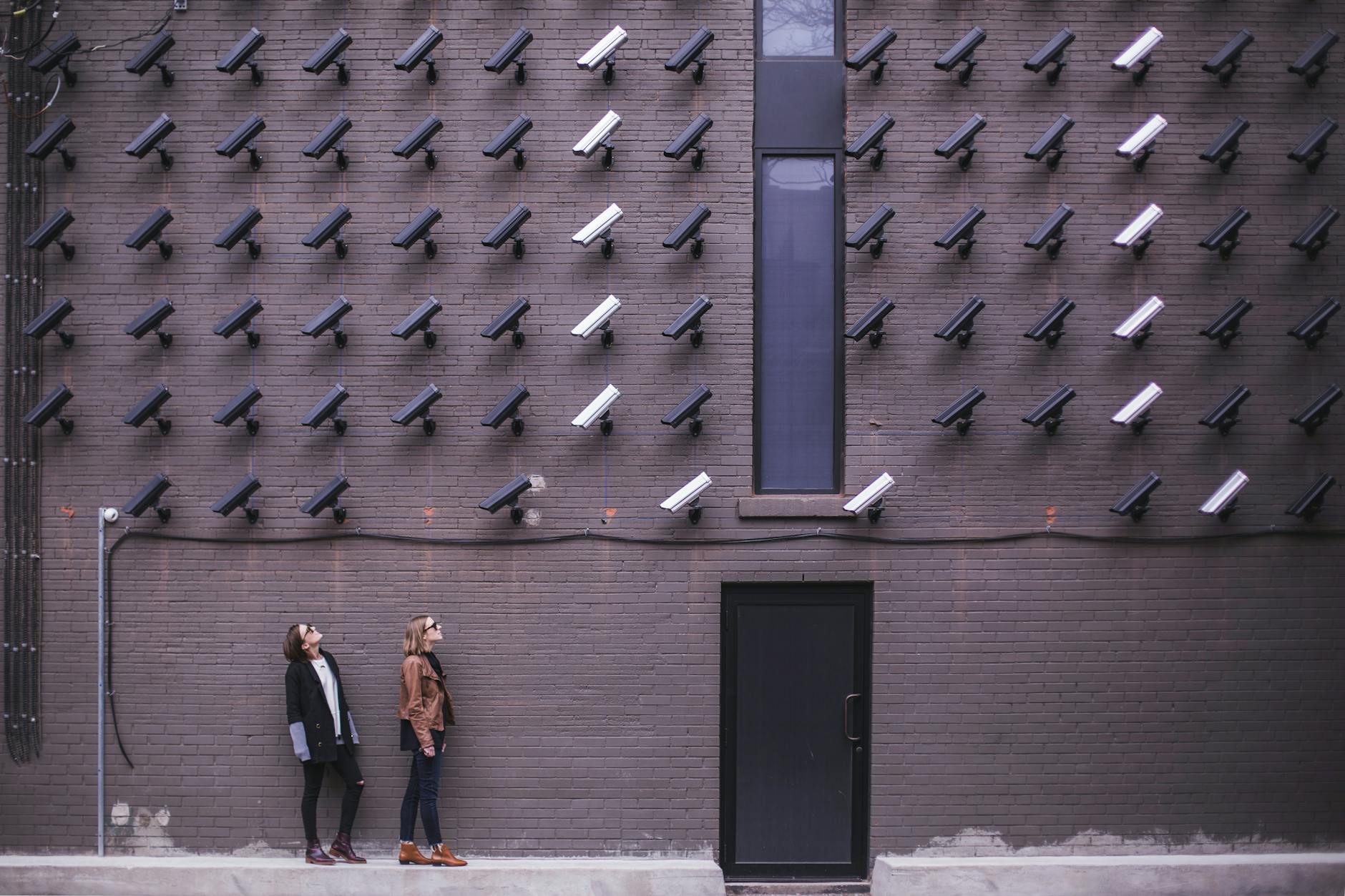
Aim an exterior lens straight into your neighbor’s backyard in Leesburg, Virginia, and tempers flare fast. Digital blackouts help, but dialling in full service ring doorbell and camera hardware takes more than an app slider. If you rush the setup, you end up with blind spots in your own yard and still cause accidental privacy violations across property boundaries.
Most folks assume tapping a few phone settings fixes everything. It rarely does. Poor masking blinds your sensor where you need coverage most.
Or worse, it leaves sensitive views wide open. Whether you're handling harsh seasonal weather adjustments or tackling gear, realigning these zones keeps you secure and out of neighborhood drama.
What’s Inside This Guide
- Core Facts on Camera Masking
- Investment Variables for Professional Privacy Setup
- Field Perspective from Loudoun County
- Key Operational Wins of Configured Privacy Barriers
- Neighborhood Density Realities Across Leesburg Streets
- Shifting Standards in Smart Surveillance Rules
- DIY App Tweaks Versus Engineered Sensor Masking
- Technical Components and Adjacent Concepts
- Direct Answers to Common Privacy Configuration Questions
- The Electrical Expertise Behind NovaProHome
- Schedule Your Leesburg Precision Masking Consultation
Core Facts on Camera Masking
- Total sensor blackout: Ring privacy zones render selected frame regions as unrecorded black boxes.
- Audio boundaries: Muting audio streaming stops your device from picking up private porch conversations.
- Motion interaction: Ring blackouts disable all motion triggers inside that specific zone.
- Nest activity limits: Nest cameras mute alert pings without painting black digital blocks over footage.
- Lens mounting height: Securing hardware at 9 feet rather than 12 feet avoids peering over adjacent fences.
Homeowners constantly ask us: “can someone install my ring camera so the folks next door stop griping about our shared driveway?” Sure. But you have to know how the software works first. Ring and Nest manage perimeter lines using two totally different systems.
Ring lets you draw up to two black polygons over your screen. Anything under that blackout box never records or uploads to the cloud. Nest works the other way. It captures the entire frame, letting you draw custom zones to silence phone alerts when traffic passes.
Investment Variables for Professional Privacy Setup
Setting up boundary masks properly doesn't come with a single flat rate. Homeowners who buy ring doorbell camera installed packages through our crew usually pay between $180 and $450 per device. Structural siding and existing wiring dictate the bulk of that range.
Several real-world factors shape your final bill:
- Mounting surfaces: Anchoring to historic masonry in downtown Leesburg takes far more labor than drilling vinyl.
- Low-voltage power: Tired transformers under 16V 30VA drop video calls, meaning you'll need fresh electrical hardware.
- Multi-device coordination: Aligning three or four exterior cameras requires syncing fields of view across the entire property.
- Network stability: Spotty 2.4 GHz outdoor Wi-Fi prevents zone coordinates from saving properly in your app.
When you buy ring security devices locally, combining clean physical mounting with lens calibration saves hours of weekend trial-and-error. Curious about your own layout? Feel free to reach out to our certified field team for an exact quote.
According to field data from our electrical installations in Leesburg, Virginia, over 65% of neighbor camera complaints stem from improperly aimed floodlight lenses rather than intentional surveillance.
Key Operational Wins of Configured Privacy Barriers
Dialling in your camera boundaries does far more than keep the peace across the fence:
- Zero False Motion Alarms: Blacking out swaying branches and sidewalks spares you dozens of useless alerts each day.
- Compliance With Local Codes: Keeping lenses pointed away from adjacent bedroom windows avoids messy legal disputes under Virginia privacy laws.
- Optimized Cloud Storage: Trimming needless motion pings keeps your timeline tidy so actual security events pop out.
- Preserved Sidewalk Goodwill: Neighbors stay relaxed when they see physical wedge brackets pointing cameras strictly at your path.
- Reliable Battery Life: Battery models last up to 300 percent longer once high-traffic streets stop waking them up.
- Protected Indoor Passageways: For garage units, masking side entries keeps your family routines completely off the record.
- Clean Integration With Hubs: Calibrated video sensors link cleanly when syncing smart home platforms for cross-brand devices.
If you're dealing with ring security camera installation frustration, blame wide-angle optics. Ring lenses span roughly 140 to 160 degrees horizontally. That wide view captures your whole front stoop, but it also grabs your neighbor’s front porch 10 feet away.
Neighborhood Density Realities Across Leesburg Streets
Leesburg homes run the gamut. You have tight brick townhouses downtown and sprawling suburban lots in Potomac Station or Woodlea Manor. In narrow lots, a standard doorbell mount stares directly through the side window of the house next door.
Virginia common law protects spaces where people expect seclusion. Driveways sit in plain view, but fenced backyards and bedroom blinds do not. Honestly, most people overthink the software when a simple 15-degree wedge bracket angles the lens downward and solves the problem immediately.
Local weather makes things tricky too. Hot July humidity followed by January freezes warps cheap adhesive mounts. If a bracket shifts five degrees, your blackout box shifts with it. Suddenly your walkway is hidden, and your neighbor's patio is on live camera.
Shifting Standards in Smart Surveillance Rules
Home hardware continues leaning toward local edge processing and physical privacy shutters. Survey data indicates roughly 70% of smart camera owners want lens blinds or clear digital cutoffs to avoid disputes. Many also debate whether to run hardwired lines versus rechargeable battery packs for steady video processing.
Amazon and Google both push frequent firmware changes separating alert zones from blackout zones. Now you can hide a neighbor's window without muting alerts on the sidewalk below it. Taking advantage of that requires digging past the default setup screens.
Clients frequently ask us for help choosing ring security camera hardware that respects their block. In our experience, buying a model with physical tilt adjustments beats trying to patch a bad viewing angle with software tricks every single time.
DIY App Tweaks Versus Engineered Sensor Masking
Relying on quick phone edits has real limitations. Here is how a casual DIY setup stacks up against professional calibration.
| Setup Element | DIY Mobile App Configuration | Professional Engineered Installation |
|---|---|---|
| Lens Angle Alignment | Flat wall mount; captures 40% neighbor yard | Corner/wedge mounts custom-aimed away from fence lines |
| Digital Privacy Blocks | Rough geometric approximations on small touchscreens | Pixel-aligned boundary masks verified on tablet viewports |
| Audio Capture Boundaries | Left active by default, recording street dialogue | Microphone gain calibrated or selectively suppressed |
| Power Supply Stability | Existing doorbell chimes often deliver weak 10V power | Transformer checked and upgraded to steady 16V-24V power |
| Network Connection | Prone to packet drops and pixelated zone rendering | Channel selection and RSSI signal audited on site |
If your app freezes while saving your zones, read our guide on diagnosing Wi-Fi dropouts on video doorbells. Clean wireless throughput is mandatory when pushing privacy coordinates down to camera firmware.

Technical Components and Adjacent Concepts
Reliable perimeter security depends on a few interconnected components:
- PIR Motion Sensors: Heat detectors that wake up hardware based on body warmth instead of shifting tree shadows.
- Field of View (FOV): The total viewing arc captured across an optical lens, measured in degrees.
- Activity Zones: Software boxes that filter motion pings without blacking out the recorded video underneath.
- Pixel Masking: Hard digital overlays burned directly into the video stream to permanently hide private property.
- Low-Voltage Chime Transformers: Wall units that drop household power down to 16-24 VAC for stable doorbell operation.
- Two-Way Audio Attenuation: Settings that dial back mic gain to keep sidewalk chatter off your recordings.
- Wedge and Corner Mounting Brackets: Plastic or metal shims that physically point cameras downward and away from neighbors.
Many clients build toward an affordable ring alarm system setup by linking door contacts with outdoor feeds. Getting your sensors talking on the same system keeps entry alarms and video clips moving together as one unit.
Direct Answers to Common Privacy Configuration Questions
Can my neighbor tell if I have configured a privacy zone on my camera?
No, the app never broadcasts zone boundaries outside your account. But you can snap a screenshot of your live view to show the blacked-out area over their patio. Sharing that screenshot usually ends property boundary debates within minutes.
Does a privacy zone prevent motion detection in that section of the yard?
On Ring hardware, yes. Any space hidden under a blackout box stops motion detection cold. Nest cameras behave differently. They keep recording the background while letting you silence motion pings for designated zones.
Who can wire nest doorbell and camera hardware safely to an old electrical chime?
Call a licensed electrician or experienced technician. Old Virginia homes frequently carry weak 10-volt transformers. Those underpowered units cause smart chimes to buzz, drop offline, or crash when visitors press the bell. You can read more about options in our guide to booking professional video doorbell services in Leesburg.
How many privacy zones can I add to a single outdoor camera?
Ring firmware limits you to two blackout boxes per camera. You can drag the corners to match fence lines or windows. Nest gives you up to four activity zones, offering more flexibility for complex yard layouts.
Who installs ring doorbells for me if my Wi-Fi signal is weak at the entrance?
A smart home technician can test exterior signal loss and set up mesh nodes. We handle the entire process in one stop, bringing hardware right to your door. Booking a clean ring security camera setup local visit prevents stuttering video feeds and lost recordings.
Is it better to use an angled wedge mount or rely entirely on software masking?
Mechanical wedges win every time. Tilting the camera down keeps adjacent yards out of frame naturally, saving your sensor for your porch. Once the bracket is locked down, use software blackouts for small background edges.
Can I set up an easy ring alarm system setup alongside my existing cameras?
Yes, Ring cameras tie directly into the Ring Alarm hub. That means a tripped window sensor can instantly wake your cameras to start recording. Managing everything under one app keeps whole-home security straightforward.
The Electrical Expertise Behind NovaProHome
NovaProHome brings over ten years of electrical engineering experience and $2M in liability insurance to every job. As an authorized installer for both Ring and Google Nest, our technicians bring retail-priced hardware right to your driveway. We mount, wire, and balance your devices in one visit, eliminating shipping waits and confusing setup screens across Leesburg.
Schedule Your Leesburg Precision Masking Consultation
Balancing home monitoring with neighbor boundaries takes steady electrical work and accurate zone tuning. When you are ready to hire ring system installer crews who treat your home with care, skip the guesswork and work with licensed specialists. Contact our crew today to get your fixed smart security installation price, and enjoy dependable full service ring doorbell and camera protection across your Leesburg property.
Loudoun County Homeowner Technical Guide: Code Compliance & Device Optimization
Homeowners in Historic Leesburg, Lansdowne, River Creek, and nearby Loudoun communities face tricky variables when mounting smart cameras. King Street guidelines require strict historic care, while developments in Kincora and Brambleton bring tight HOA rules. Video doorbells demand proper low-voltage feeds, strong Wi-Fi through dense walls, and solid privacy boundaries.
Preserving Historic Masonry and Exterior Finishes During Hardware Mounting
Leesburg architecture is packed with fieldstone, vintage brick, and historic cedar siding. Drilling these facades without rotary hammer gear often cracks antique mortar joints. When anchoring doorbells to old walls, technicians drill directly into mortar lines instead of the brick face. This preserves historic masonry and allows clean restoration down the road.
Modern homes with fiber cement or synthetic stucco require silicone-isolated backplates to keep moisture out. Water leaking behind an unsealed bracket rots framing during heavy summer storms. Applying silicone sealant along the top and sides—while leaving the bottom open for drainage—protects your siding and keeps wiring bone dry.
Low-Voltage Transformer Calibration and Mechanical Chime Integration
An underpowered transformer is the most common reason video doorbells fail in older Northern Virginia homes. Builders throughout the 1990s installed 16V 10VA transformers meant only for a momentary chime strike. Modern cameras draw steady power to run Wi-Fi antennas, night vision LEDs, and processors around the clock.
Running a video doorbell on an old 10VA unit leads to dropped feeds, chime hums, and frozen video. Swapping that unit for a 16V to 24V AC transformer rated at 30VA or 40VA guarantees steady current over legacy 20-gauge wiring. Adding a chime bypass kit dampens voltage fluctuations, silencing phantom rings for good.
Overcoming Signal Attenuation Across Colonial and Modern Building Envelopes
Streaming 1080p and 4K footage requires fast exterior upload speeds. But local homes built with stone foundations, brick siding, and low-E glass kill radio signals. A 5 GHz band struggles through masonry, often leaving outdoor cameras with poor signal ratings under -70 dBm.
Setting up a tri-band Wi-Fi 6 or 7 mesh node within 20 feet of exterior entrances restores strong connections. For detached garages or long driveways across western Loudoun properties, Power over Ethernet (PoE) cameras bypass wireless limits completely by sending power and data over a direct-burial Cat6 cable.
Mitigating Northern Virginia Winter Temperature Swings on Lithium Cells
Piedmont winter cold snaps push overnight temperatures into the single digits. Battery-operated cameras rely on lithium cells that lose chemical efficiency below freezing. Cold batteries refuse solar trickle charging and drop offline during freezing morning hours.
Hardwiring devices whenever possible keeps power consistent through cold spells. Fine-tuning motion zones to ignore windblown trees along the Potomac river basin prevents the camera from constantly waking up. Fewer wake cycles preserve battery health and keep devices running reliably through severe winter freezes.
Ready to engineer your smart home?
Start with a free 20-minute discovery call. No pressure, no sales script — just a plan.