

Smart Home Setup Near Me: Choosing Local Pros vs Retail DIY

For most commercial sites, an electrical engineer or licensed integrator is the safest choice for a smart security installation. Retail devices cost less at first, but dropped signals and unreliable access logs can cause problems during business hours. Separate apps also leave staff with more to manage.
A retail starter kit may work for a few weeks if your workspace has one entrance and basic security needs.
As your business grows or you store more valuable inventory, separate devices become harder to manage. A coordinated system means you aren't managing multiple security apps while overseeing shifts and vendor deliveries at your McLean property.
What's Inside This Guide
- The Operational Risks of Piecemeal Security Hardware
- Hardware Architecture: Hardwired Commercial Integrations vs Plug-in Retail Kits
- Matching Access Controls to Facility Layouts and Staff Traffic
- System Ecosystem Compatibility and Platform Coordination
- Engineering Protocols for Flawless Security Deployment
- Balancing Upfront Capital with Long-Term Reliability
- Questions Commercial Property Managers Ask Most
- Deploying Your Integrated System with NovaProHome
The Operational Risks of Piecemeal Security Hardware
The wrong equipment creates extra work for everyone using it. Managers spend hours reconnecting cloud cameras instead of running the business. During spikes in network traffic, retail hardware often loses its connection. That can leave loading docks or storage rooms without camera coverage when someone enters.
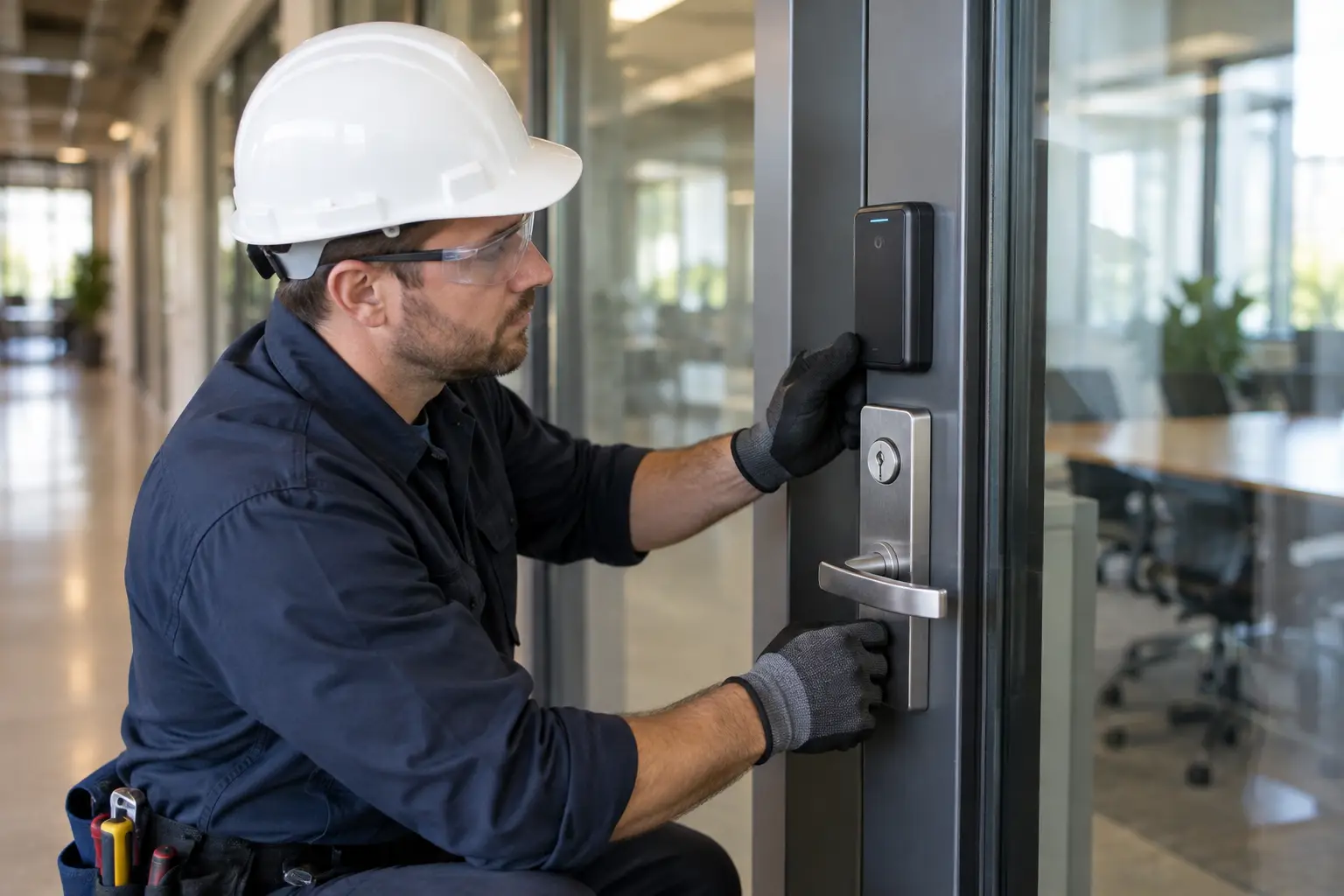
Consumer security equipment can leave packages exposed to theft while sending alerts that don't reflect a real threat. Repeated false alarms teach managers to ignore notifications. During a break-in, that delay can mean stolen stock and lost working time. Our pre-installation checklist explains device settings to review before mounting the hardware.
Practical check: Consumer cloud cameras can buffer heavily on busy commercial networks, leaving serious gaps in coverage during evening shifts.
With separate systems, supervisors may need three or four phone apps to disarm a back entrance and review camera alerts. Building temperature controls require attention too. Switching between apps slows opening procedures and makes it harder to keep track of perimeter security.
Hardware Architecture: Hardwired Commercial Integrations vs Plug-in Retail Kits
Your first equipment decision is between wireless consumer devices and commercial hardwired systems. Plug-in Wi-Fi cameras from big-box stores add traffic to the office's 2.4 GHz wireless band. Heavy commercial firewalls can also leave these cameras in dead zones where the signal won't reach.
Selecting Your Primary Infrastructure Backbone
Hardwired Power over Ethernet (PoE) equipment carries power and data through a network cable, keeping cameras off the main Wi-Fi network. Video feeds need to stay steady while customers and staff stream media. Our guide to connecting smart devices in Leesburg explains how the network design supports that goal.
For a closer look at basic device security, review the device security standards and guidance published by the National Institute of Standards and Technology.
| Option | Recommended starting point | What to watch |
|---|---|---|
| Retail consumer kits | Single-room executive offices | Worn batteries and delays over Wi-Fi |
| Integrated hardwired systems | Warehouses, multi-room offices, and shops | Needs professional cable routing and tidy conduit runs |
| Commercial hybrid mesh systems | Historic commercial properties with thick walls | Place network units where steel beams won't interfere with signals |
Matching Access Controls to Facility Layouts and Staff Traffic
Each building has its own traffic bottlenecks. A boutique's front entrance serves different needs from a manufacturing site or an office handling sensitive records. Basic retail keypads often lack permissions for different staff roles. Owners then have to share a master PIN with temporary contractors, cleaners, or pet sitters.
Integrated systems let you issue temporary codes with access records and automatic expiry after a shift. These codes block unauthorized after-hours entry and pair each door opening with timestamped video. Read how we simplify smart security in Leesburg for more about reducing the day-to-day work of managing access.
Installation practices for commercial sites are also documented by the Security Industry Association.
| Situation or setup | Recommended choice | Avoid |
|---|---|---|
| High-turnover shift work | Smart locks with scheduled digital codes you can revoke | Shared physical keys or a master PIN everyone uses |
| Rear loading and freight doors | PoE cameras paired with industrial sensors | Consumer battery doorbells that lose connection in bad weather |
| Multi-tenant commercial suites | Cloud-managed control panels with separate tenant access | Unconnected retail brands that each need their own app |
Installer's rule: Keep battery-powered locks off main customer entrances; constant use drains standard retail batteries in under ninety days.
System Ecosystem Compatibility and Platform Coordination
Security equipment needs to work with the rest of the building. Commercial systems work best when sensors and exterior floodlights communicate with security controls, along with motorized indoor shades. Staff arriving at a dark, unheated building on a cold morning have a harder time getting to work.
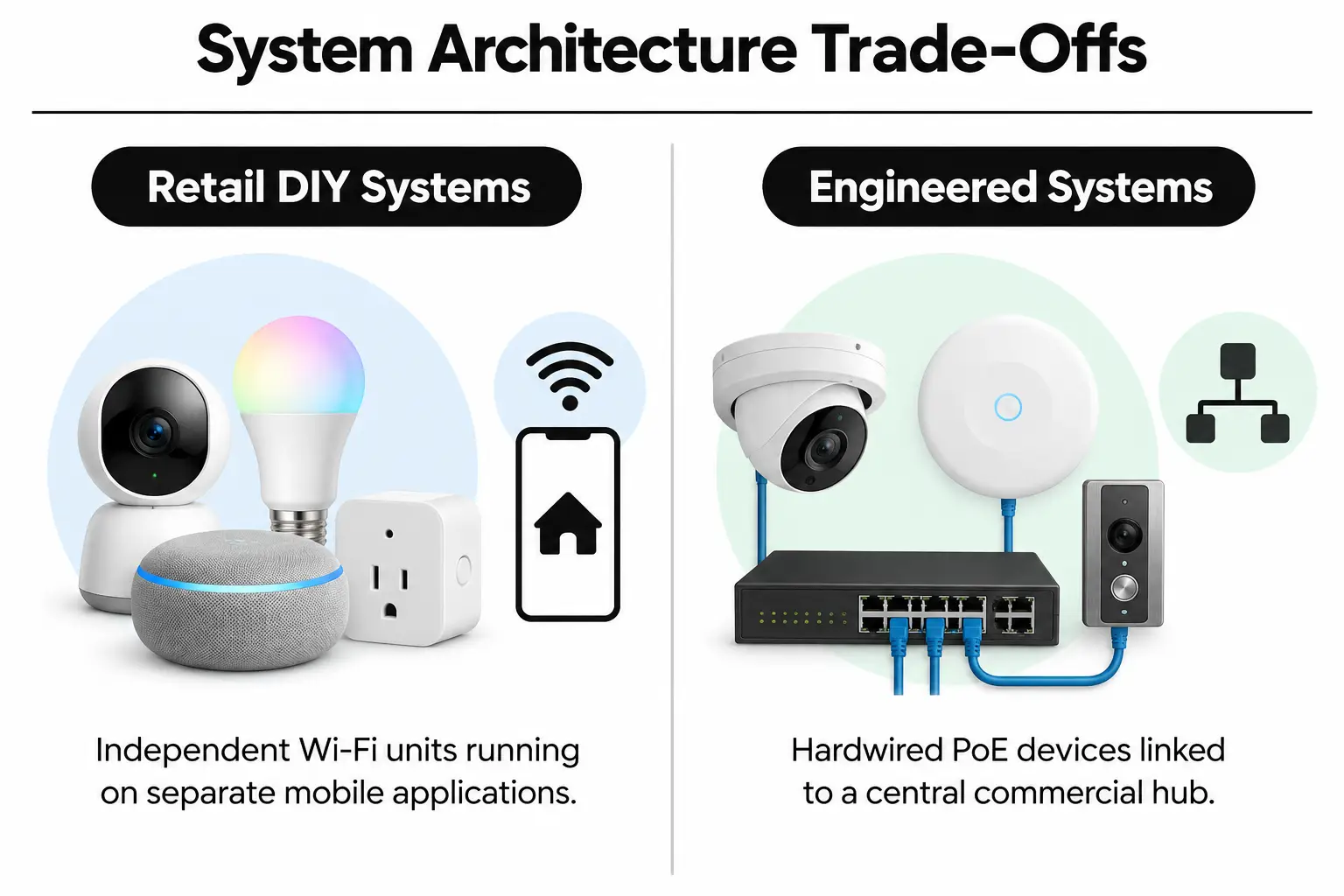
Competing retail brands rarely connect without third-party software that can be unstable. Professional integrators bring perimeter devices and video recorders into one control screen, alongside the switches that operate access controls. Our article on complex installations in Ashburn explains why connecting devices properly helps prevent system faults.
Property owners can also check whether professional installation affects insurance rates when looking for ways to offset improvement costs.
| Starting point | Pair with | What to test | Intended result |
|---|---|---|---|
| Access control locks | Commercial surveillance cameras | Camera view and triggers when a lock operates | Immediate visual confirmation of each authorized door opening |
| Perimeter motion detectors | Exterior smart floodlights | Sensor sensitivity after sunset | Deter night-shift trespassers and package theft |
| Central alarm panel | Smart heating, cooling & lighting hub | Arming the alarm starts energy-saving schedules | Reduce utility use automatically when the building is empty |
Engineering Protocols for Flawless Security Deployment
Installation work needs to happen in the right order. Skipping network planning causes dropped connections and unreliable camera feeds at the moments you need them most.
Video: Commercial Building Security Systems: A Real-Life Demonstration! (GetSafeAndSound)
- Survey the building: Map exterior entrances and storage rooms, noting concrete firewalls that could block wireless signals.
- Check network capacity: Verify broadband upload speed and confirm that continuous local recording won't slow office data traffic.
- Route low-voltage cables: Pull dedicated Cat6 network cables to high-risk areas, away from electrical wiring that can cause interference.
- Set up the local controller: Configure an encrypted central hub to connect cameras and alarms with the switches operating commercial access controls.
- Set staff permissions: Give managers, general staff, cleaning crews, and delivery handlers the access each role needs.
Before you buy: Check that low-voltage cables don't run parallel to the main 120V conduit, where electrical interference can disrupt sensor signals.
Older electrical panels make careful wiring especially important. Our guide to wiring mistakes to avoid in South Riding covers common installation errors that can leave an otherwise suitable system performing poorly.
Balancing Upfront Capital with Long-Term Reliability
Budget for more than the price on the box. Monthly subscriptions for each retail camera can quickly exceed the initial cost of a professional commercial system. To work out what your property needs, ask us for a detailed quote covering the planned installation.
Professional installations use local network video recorders to avoid ongoing cloud fees for each device. Your investment pays for durable equipment and properly installed connections, with software designed to run for years without weekly restarts. Our guide to monthly smart system power use can help you plan for electricity costs too.
| Budget level | What to prioritise | What to question |
|---|---|---|
| Entry level | Smart locks at main entrances and standalone hardwired doorbells | Wireless cloud cameras with costly ongoing subscriptions |
| Mid-range | PoE perimeter cameras and keypads with access logs, managed through one app | Closed retail systems that won't let other software connect |
| Commercial level | Engineered central hubs with automated environmental controls and local video recorders | Unlicensed subcontractors without comprehensive liability coverage |
Questions Commercial Property Managers Ask Most
Can smart security systems prevent package theft at our loading bay?
Yes, integrated systems deter package theft with motion-activated floodlights and audible warnings, supported by immediate two-way audio. Couriers can receive instructions through smart doorbells while high-definition cameras record deliveries. Footage stays on a local recorder, giving you evidence to check if a package goes missing.
How does an integrated smart home installation leesburg va setup resolve the multiple apps problem?
One central controller connects cameras, smart deadbolts, alarms, and lighting instead of leaving each device in a separate retail app. Supervisors can check and control every entrance from a single screen on a phone or office computer. Notifications stay together, and the connected hardware communicates in real time.
Where can I find reliable smart security installation for complex facilities?
Choose a licensed integrator with a proven electrical engineering background rather than a general retail handyman. Certified contractors assess electrical panels and network capacity, then check physical access weaknesses before designing the system. Before work starts, verify the installer's business insurance and manufacturer certifications.
What makes commercial smart security systems reliable for extended business travel?
Battery backups and automatic switches to cellular service keep commercial systems running through local power or internet outages. Remote operators receive encrypted alerts with video clips when someone breaches the perimeter. Owners can then check live feeds and coordinate an emergency response from wherever they are.
Deploying Your Integrated System with NovaProHome
At NovaProHome, we bring electrical engineering leadership and insurance coverage to security system design in McLean, VA. We plan connected systems so managing a growing property doesn't mean guessing with DIY equipment or juggling incompatible apps. Before you schedule installation, work through these checks:
- List every access point: Confirm which customer doors, employee exits, and loading entrances need automated access.
- Check network capacity: Verify that office routers can carry dedicated video feeds without slowing everyday data traffic.
- Define access permissions: Set out what regular staff, outside contractors, and cleaning crews need to access.
- Check local code requirements: Confirm that the chosen electric strike locks meet commercial emergency exit rules.
- Set footage storage periods: Decide how many days of local video your security policy requires you to keep.
Contact our team to request a written assessment of your property.
Ready to engineer your smart home?
Start with a free 20-minute discovery call. No pressure, no sales script — just a plan.