

How to Organize Your Google Home App for a Large Family

Organize your Google Home app by room, give each family member a separate account, and agree on who can change shared settings. For households in Goose Creek Village, we also recommend budgeting for Google Nest thermostat installation costs before buying equipment. That helps you catch missing wiring early and give everyone room-by-room control without disrupting schedules or security sensors.
Giving everyone with a smartphone administrative access can lead to deleted routines and constant thermostat changes. We plan access alongside the hardware so those problems do not become part of your daily routine.
What's Inside This Guide
- Why Shared Household Controls Require Clear Structural Rules
- A Five-Step Blueprint to Map Your Shared Google Home Setup
- Selecting Your Family Management and Wiring Architecture
- Hardware Fundamentals That Prevent Everyday App Errors
- Installation Phases, Device Sequencing, and Cost Drivers
- Clear Answers for Goose Creek Village Smart Homes
- Engineering Your Multi-User System with NovaProHome
Why Shared Household Controls Require Clear Structural Rules
A smart home gets frustrating when six people keep changing the same thermostat or speaker settings. Without clear rules, a teenager can accidentally unlink a shared speaker. A guest's phone might trigger away mode while you are still working in the home office.
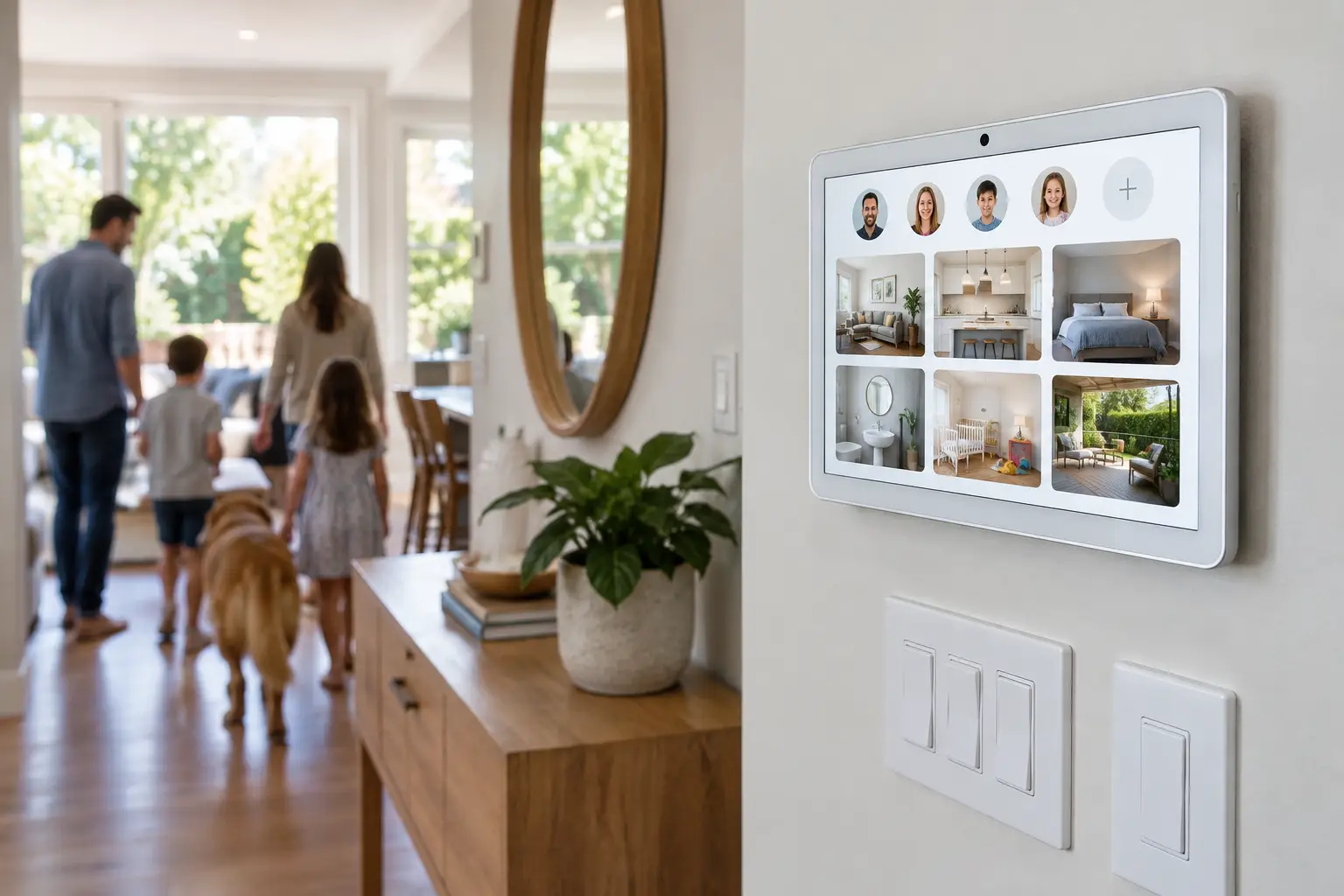
Planning permissions and device groups first protects the routines your family relies on. It also keeps security equipment, such as exterior cameras, under parental control while leaving everyday lighting controls available to everyone.
Installer's rule: Give each person a dedicated Google account within one family structure instead of signing every phone into the same master account.
Preventing Conflicting Temperature Overrides
Energy bills can climb quickly when everyone changes the temperature without checking the schedule. A properly configured system keeps manual changes from erasing programmed temperatures. That helps you achieve the savings described in guidance such as ENERGY STAR's smart thermostat guidelines.
Protecting Security Feeds and Lock Schedules
Door locks and driveway cameras need tighter access rules than hallway dimmers. Separate user roles keep younger children from turning off exterior motion alerts or opening an entry door by mistake.
A Five-Step Blueprint to Map Your Shared Google Home Setup
Before inviting anyone into the app, check the wiring and decide how to group your devices. Working through these steps in order keeps clutter out of the app from the start.
Video: Google Home for Family Organization and Fun Times! (Real Organized)
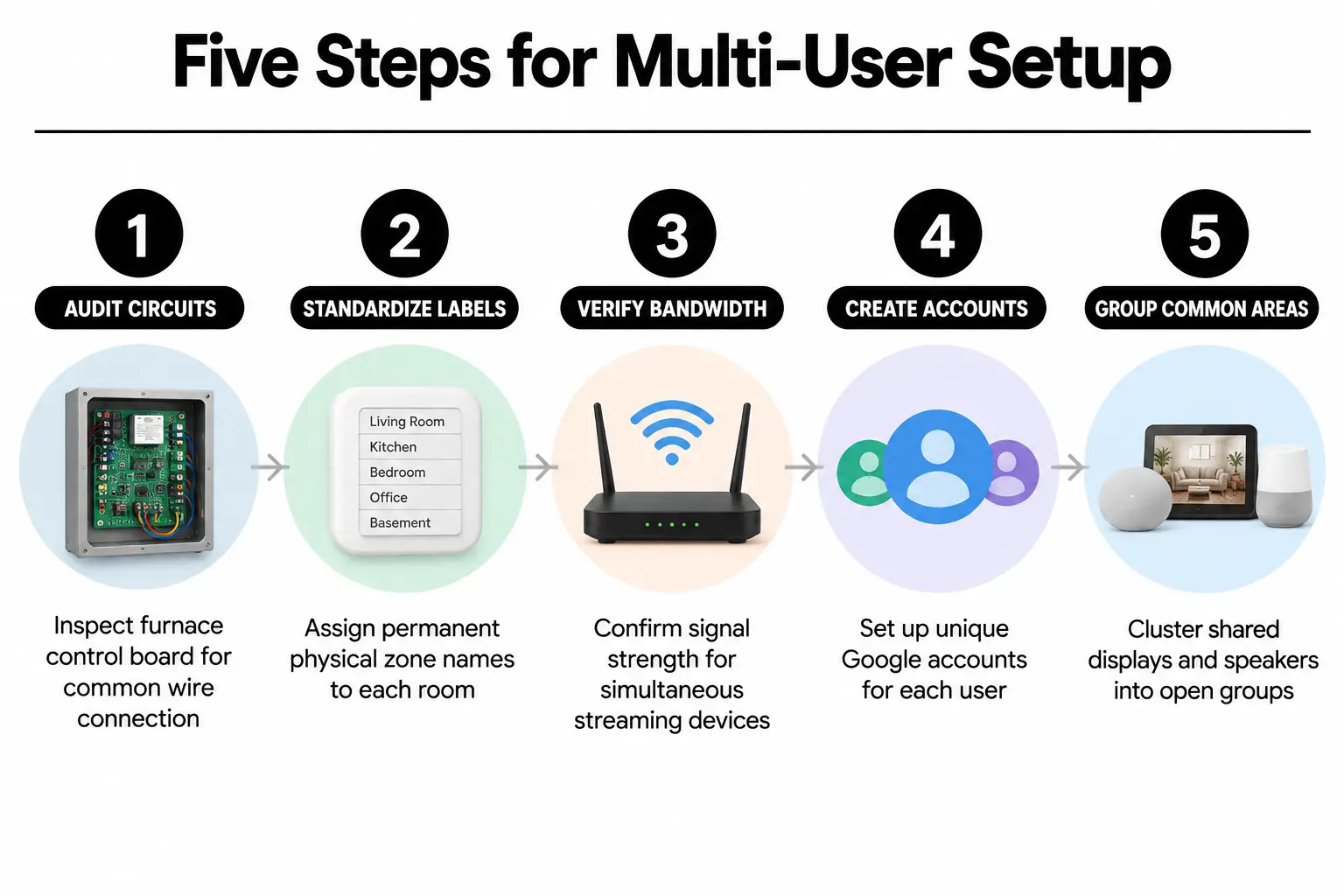
- Check existing electrical circuits: Before mounting wall units, check for an active common wire at the furnace control board. This wire supplies continuous power.
- Use consistent room labels: Name rooms by their location or purpose rather than the person using them, so the labels stay useful over time.
- Check network capacity: Make sure each room has enough signal strength for audio and video streams running on several phones at once.
- Create separate Google accounts: Give each family member an account so their music playlists and calendar events stay separate.
- Group shared spaces separately: Keep devices such as kitchen displays in open groups that do not trigger private alerts.
Choosing Between Shared Family Profiles and Personal Accounts
How you link accounts is the first big decision. Google Home gives household members full administrative rights, so a teenager could remove a device. For younger children, use individual Voice Match profiles with supervised accounts. This limits sensitive settings while allowing everyday voice commands for bedroom lights and music.
Selecting Your Family Management and Wiring Architecture
The right setup for a Goose Creek Village family depends on the size of the home and the children's ages. We weigh both before deciding how people will use the controls each day.
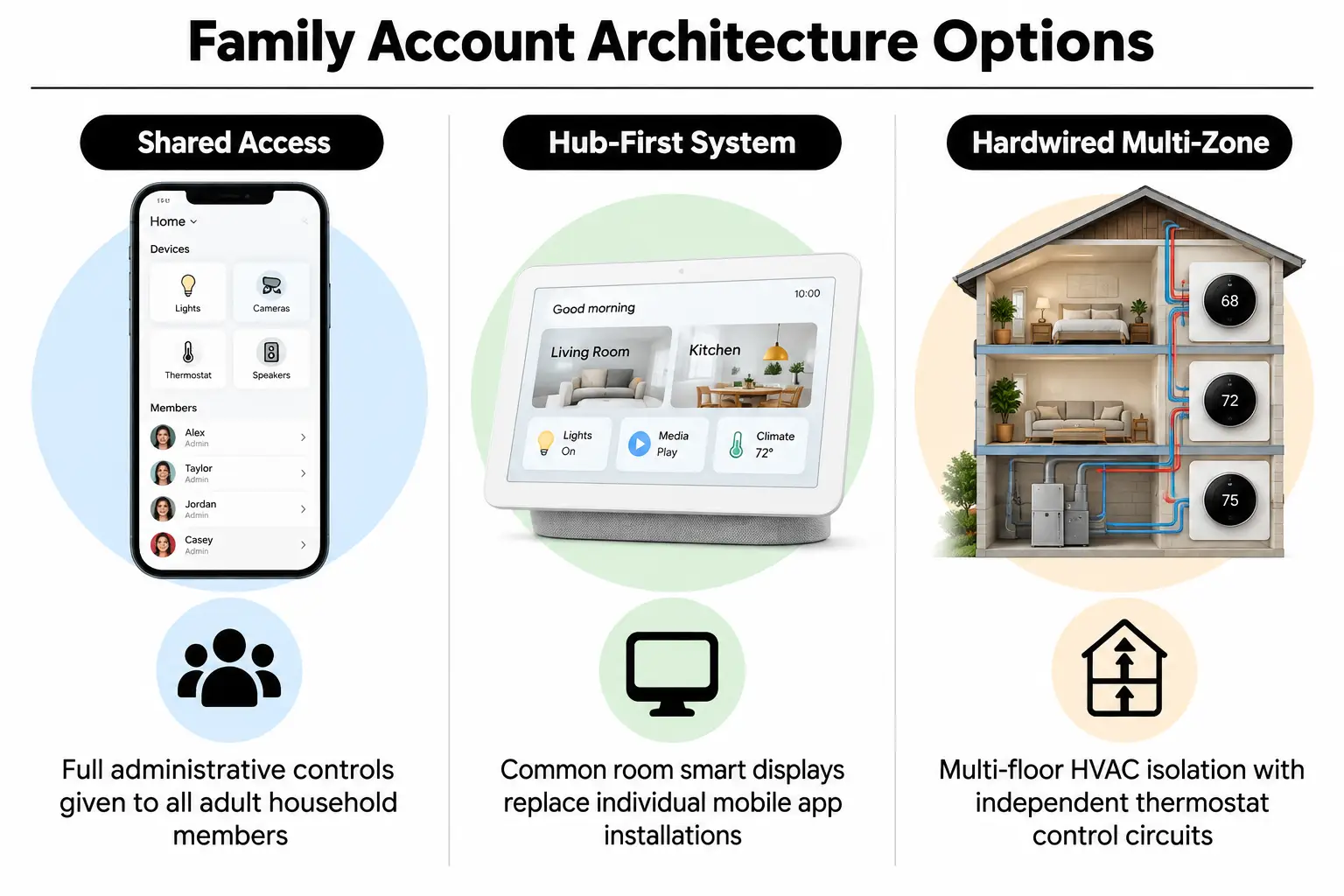
Standard Home Member Structure
You can invite adult partners and older teens as equal members in the app. That makes sharing climate and media controls straightforward. Everyone needs to agree on routines, though, or one person's changes will keep overwriting another person's schedule.
Restricted Ecosystem with Dedicated Local Hubs
With this setup, parents keep administrative app access on their own phones. Children mainly use smart displays in shared rooms instead. Keeping them out of the administrative app prevents accidental changes at that level entirely.
Hybrid Hardwired Multi-Zone Deployment
Larger homes often need separate heating and cooling zones. Understanding what affects installation costs helps you budget for dedicated zone controllers. These keep each area running steadily across different floors and layouts.
| Setup option | Best suited for | Watch out for |
|---|---|---|
| Unrestricted shared access | All-adult households or families with older teens | Accidentally deleted routines or unlinked devices |
| Controls through shared displays | Households with elementary-aged children | Higher upfront spending on displays |
| Separate hardwired zones | Multi-level homes with several heating and cooling air handlers | More involved transformer requirements and wiring checks |
Hardware Fundamentals That Prevent Everyday App Errors
Most app glitches start with electrical problems. If an outdoor camera or wall sensor loses power now and then, the app marks it offline. Family members trying to check a feed may assume the app is broken when the device has simply lost power.
Knowing what your system needs can save hours of troubleshooting. When a licensed installer helps fix missed thermostat schedules, the first step is testing voltage at the terminal plates where the wires connect.
Essential Power Checks Before App Pairing
- Steady C-wire power: Confirm that the common wire delivers 24V AC steadily. This avoids battery drain from drawing power through the heating-control wires.
- Doorbell chime transformer: Check for the required 16V to 24V AC rating so pressing the doorbell does not interrupt the video connection.
- Outdoor camera wiring: Check that the conduits protecting outdoor wires meet National Electrical Code (NFPA 70) standards for damp exterior conditions.
Installer's rule: Never rely on power sharing through heating and cooling wires without a C-wire adapter. Brief voltage drops will unexpectedly disconnect smart thermostats from your home network.
If the wiring is causing trouble, or you need someone to check your home's circuits, schedule an electrical assessment. Getting the power supply right keeps the equipment working consistently across your family's phones.
Installation Phases, Device Sequencing, and Cost Drivers
We finish the physical wiring before setting up family access in the app. Doing that work out of order creates confusing errors and leaves you repeatedly reconnecting devices that are not ready to stay online.
Your existing wiring has a large effect on the cost of installing a Google Nest thermostat and related devices. Older chime transformers and missing control cables inside walls are the main cost drivers. Our guidance on reliable equipment installation explains what to look for when checking the quality of the work.
| Phase | What happens | Who handles it | Typical timing |
|---|---|---|---|
| Phase 1: Wiring & power checks | Test low-voltage lines, check the chime rating, run missing C-wires | Licensed electrician | 2 to 4 hours |
| Phase 2: Hardware mounting | Secure wall bases, attach cameras, test the doorbell chimes | Licensed electrician | 1 to 3 hours |
| Phase 3: Network pairing | Link the main account, test device software, set up rooms | System integrator | 1 hour |
| Phase 4: Family account setup | Train Voice Match, set routines, assign personal devices | Homeowner / specialist | 1 to 2 hours |
We also check older fixtures before connecting new equipment. Confirming that you can keep your existing mechanical doorbell chime, for example, prevents transformer overloads when demand is highest.
Clear Answers for Goose Creek Village Smart Homes
Can my children accidentally change the thermostat schedule on their phones?
Yes. Children added as full Home Members have the same administrative rights to change temperature schedules. To prevent this, put smart displays in shared rooms and limit children's mobile access to Voice Match profiles. Do not give them full administrative rights in the app.
What impacts our total google nest thermostat installation cost most?
The biggest factor is whether a common wire already runs from your furnace control board to the thermostat. Running new wire behind drywall or replacing a transformer requires licensed electrical work. That costs more than a simple swap of the thermostat's mounting plate.
Will having six family members on the app cause voice recognition mistakes?
No. Google Home's Voice Match can tell apart up to six voice profiles in one household. Each person should complete voice training in a quiet room. With that done, the system reliably sends calendar questions and music requests to the right account.
Can family members view exterior camera feeds without seeing indoor cameras?
Currently, Google Home gives members access to all camera feeds within a single home, or none of them. To keep indoor cameras private while sharing outdoor feeds, you must put the indoor cameras in a separate home profile in the app.
How do we stop guests from triggering home-away routines?
Home-away routines use phone location tracking as well as device sensors. Turn off phone location sensing for occasional visitors to prevent false triggers while guests are present. Set the routines to use only hallway motion sensors to determine whether someone is home.
Engineering Your Multi-User System with NovaProHome
A growing family's setup needs working wiring as well as the right app settings. At NovaProHome, we handle licensed electrical work and fully set up and test the devices, so you do not have to guess which part needs attention.
We fix low-voltage problems and organize family profiles as part of a complete Google Nest installation. Our work comes with predictable results and a warranty, backed by two million dollars in coverage. We also explain how to avoid common setup mistakes before they cause problems.
For your Goose Creek Village home, contact our licensed team for a fixed written assessment.
Ready to engineer your smart home?
Start with a free 20-minute discovery call. No pressure, no sales script — just a plan.