

How to Choose a Weatherproof Outdoor Smart Plug for NoVA

For outdoor cameras and lighting in Arcola, the safest choice is a hardwired weatherproof smart receptacle. Another option is a genuine IP64-rated sealed smart plug paired with an in-use protective bubble cover.
At NovaProHome, our licensed smart home electricians serve Sterling, VA, and Arcola. Before recommending hardware, we check for dedicated ground-fault protection, which cuts power during an electrical fault. We also check whether Wi-Fi reaches through your exterior brick or siding.
An unrated smart adapter in a damp exterior box can fail during the first heavy freeze or summer downpour. That can trip the circuit or damage the radio inside. Choosing durable outdoor hardware keeps cameras and lighting running while you travel, without unexplained disconnects when you need coverage most.
What's Inside This Guide
- Moisture, Cold, and the Reality of Northern Virginia Weather
- Hardware Build: Smart In-Wall Receptacle Versus Heavy-Duty Plug-In Dongle
- Matching Plugs to Exterior Security and Everyday Hardware
- Protocol Compatibility: Linking Outdoor Sockets to Central Alarms
- Site Preparation and Step-by-Step Electrical Verification
- Balancing Budget Against Durability and Protection
- Common Outdoor Electrical and Security Questions
- Planning Your Exterior Power Upgrades in Arcola
Moisture, Cold, and the Reality of Northern Virginia Weather
Arcola's outdoor outlets face humid ninety-degree August afternoons, then freezing January weather with driving sleet. Cheap smart adapters sold online often crack at their seams as the housing shrinks in the cold. Water entering those cracks can short out the circuits inside.
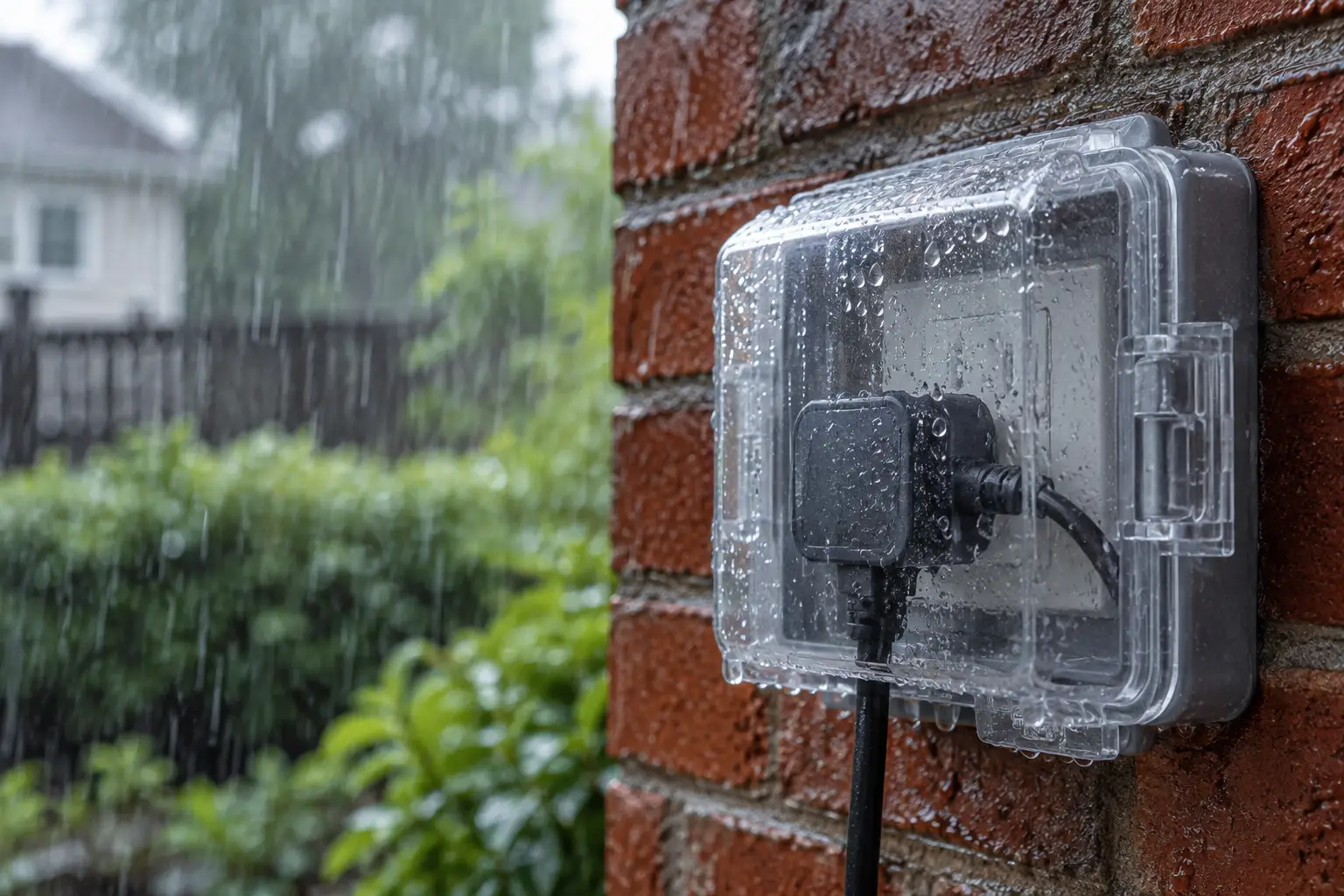
Water damage can also trip breakers farther back on the circuit, cutting power to cameras or gate sensors. Decorative lights used to deter intruders can go dark, too. During a family vacation, that leaves your perimeter monitoring offline without warning.
Practical check: An outdoor smart socket needs a certified damp-or-wet rating under Underwriters Laboratories standards and an approved wet-location cover that protects it while plugged in.
Missing recordings or dead smart switches are often the first signs homeowners notice. Our crew works on connected home security systems in Sterling and nearby rural areas, keeping outdoor devices online through severe thunderstorms.
Hardware Build: Smart In-Wall Receptacle Versus Heavy-Duty Plug-In Dongle
Start by choosing between an in-wall smart GFCI receptacle and a plug-in adapter with a short cord. GFCI means ground-fault circuit interrupter, the device that cuts power when it detects current leaking from the circuit. The in-wall option replaces your standard two-socket outlet inside the electrical box, so nothing hangs outside it.
Selecting the Right Form Factor
A plug-in adapter hangs from an existing outdoor socket on a short, heavy-gauge rubber cord. You can move it easily for holiday displays. For security equipment that stays outside year-round, an in-wall smart outlet provides a permanent power connection.
| Hardware option | Recommended starting point | What to watch |
|---|---|---|
| In-wall smart two-socket receptacle | Permanent security cameras and exterior fixtures | Needs a deep electrical box and dedicated neutral wiring |
| Short-cord plug-in adapter (IP64+) | Seasonal path lighting and patio appliances | Hangs downward and must fit fully inside the in-use cover |
| Smart multi-outlet yard stake | Detached garden features and separate perimeter runs | Cords can cause trips or suffer lawn mower damage |
| Hardwired exterior smart switch | Overhead porch lanterns and soffit downlights | Controls the whole circuit, not individual plugged-in cords |
Before fitting an in-wall unit, we check that the electrical box has enough room, measured in cubic inches. A bulky smart radio takes up space alongside thick 12-gauge wires. Packing them too tightly creates excess heat and damages insulation.
Matching Plugs to Exterior Security and Everyday Hardware
Match the plug's relay rating to the equipment it will power. The relay is the internal switch that turns the outlet on and off. Small security devices draw power differently from fountain pump motors or patio heaters, so the same plug won't suit every load.
| Situation or connected load | Recommended choice | Avoid |
|---|---|---|
| Security cameras and alarm beacons | Two-relay smart outlet with separate control for each socket | Single-relay plugs that cut camera power when switching lights |
| High-draw patio heaters or power tools | Heavy-duty smart switches rated for 15A to 20A | Generic light-duty adapters rated for 10A |
| Perimeter holiday lights and security deterrent lighting | Smart plug with a timer that follows sunrise, including adjustable offsets | Basic mechanical timers without cloud or mesh network syncing |
| Remote outbuildings and detached garages | Extended-range smart receptacles using Z-Wave or LoRa wireless connections | Standard 2.4 GHz Wi-Fi plugs beyond signal range |
Installer's rule: Keep always-on security equipment off the relay that controls seasonal lighting. One scheduling mistake can leave your camera off all night.
Sometimes the problem is as simple as a guest turning off an exterior switch that also powers a camera. Our guide to smart security and package theft in Sterling explains why uninterrupted camera power matters at the front door.
Protocol Compatibility: Linking Outdoor Sockets to Central Alarms
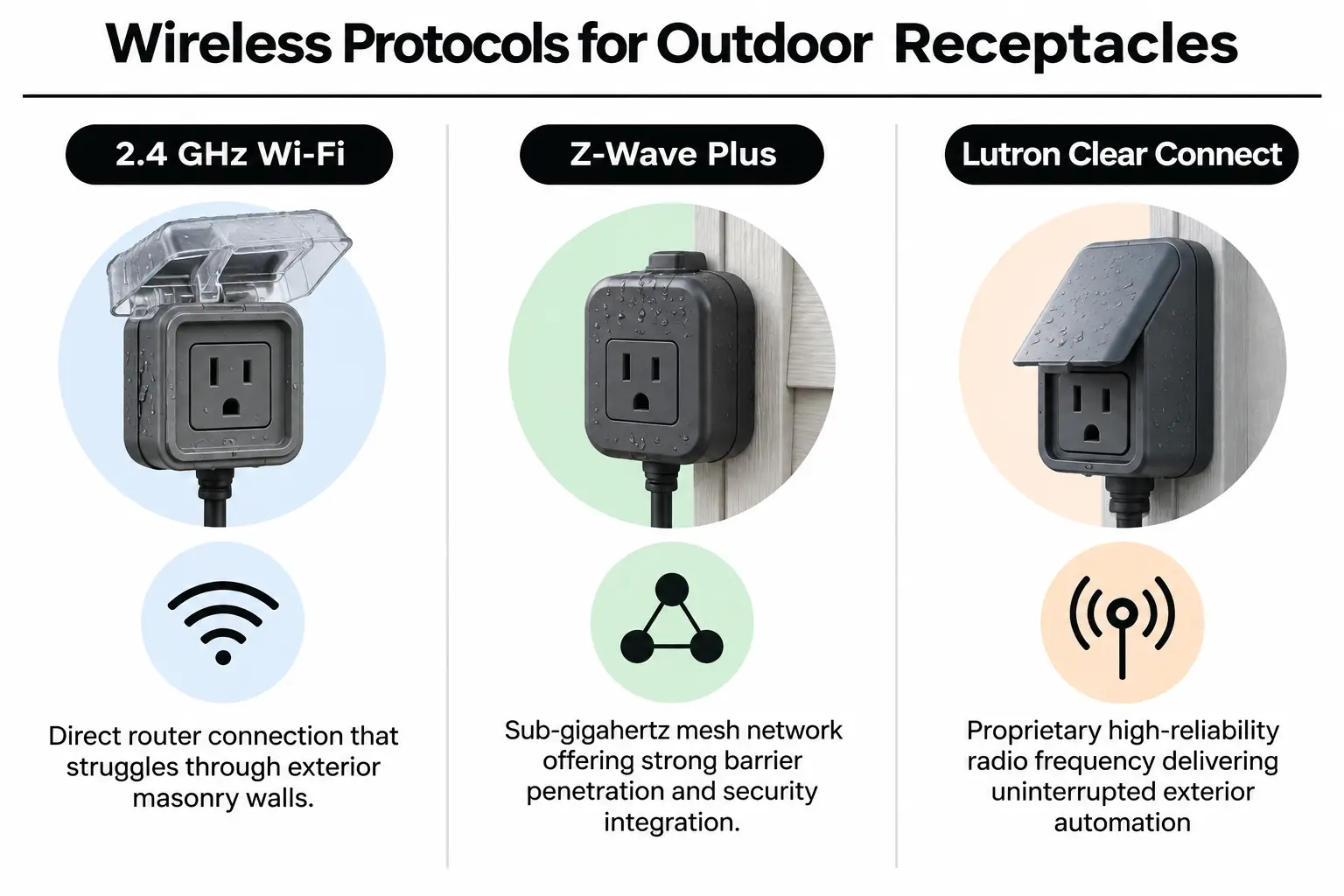
Your smart plug needs a dependable wireless connection to the main control system. Standard Wi-Fi plugs often struggle through exterior masonry and dense insulation in Arcola homes. Low-E windows, which have a coating to reduce heat transfer, can also weaken the signal.
| Existing system | Compatible connection | What to test | Intended result |
|---|---|---|---|
| Google Home | Matter-over-Thread or certified Wi-Fi | Response delays outdoors and connection handoffs at coverage edges | Direct voice commands and shared camera routines |
| Ring Alarm and security | Z-Wave Plus outdoor plug-in switch | Signal repeaters near the exterior walls | Lights turn on automatically when a perimeter alarm triggers |
| Lutron Caseta automation | Lutron Outdoor Smart Plug (Clear Connect) | Radio signal range through stone walls | Reliable lighting schedules without network dropouts |
| Combined multi-brand system | Dedicated hub that processes commands locally | Whether routines still run during a cloud outage | Security schedules keep running during internet failures |
Managing equipment across separate apps makes a connected home harder to use. We help homeowners avoid common security app problems by bringing exterior sockets into one control system that responds when needed.
Choosing a hub for Ring, Nest, and Lutron helps connect outdoor switches directly to door sensors and the main alarm panel. It also lets motion triggers control those switches without wireless interference.
Site Preparation and Step-by-Step Electrical Verification
Electrical installation needs careful checks to protect the smart hardware and your home. Outdoor circuits must meet current requirements under Article 406 of the National Electrical Code, published by the National Fire Protection Association.
Video: Setting up a TP-Link outdoor Wi-Fi smart plug, from One Hour Smart Home.
- Turn off the circuit breaker: Shut off power at the main panel and check for voltage with an audible non-contact tester.
- Examine the electrical box: Check inside the outdoor box for corrosion and signs of water entry. Confirm it has enough room for the device and wiring.
- Check the neutral and ground: Confirm that copper ground connections are clean and a dedicated neutral wire is present to power the smart radio.
- Mount the smart device securely: Connect the line, load, neutral, and ground wires with weather-rated wire nuts. Tighten terminal screws to the manufacturer's specified torque.
- Install the extra-duty cover: Fit a gasketed, code-compliant in-use cover over the outlet box. It must keep rain out while cords are plugged in.
- Pair and test the network: Restore power and start the pairing process. Assign the plug to the right automated security zones.
Before you buy: Look for at least IP64 splash protection under the International Electrotechnical Commission's ingress protection ratings, which measure resistance to entry by water and solids. IP66 offers much better durability in direct rain.
Older circuits may lack a clean neutral wire or proper bonding, the connection between metal parts and the grounding system. Read our guide to common C-wire issues in smart home wiring or arrange professional testing. Before buying hardware, ask our team to check your exterior electrical boxes.
Balancing Budget Against Durability and Protection
Better outdoor electrical hardware costs more at first, but it helps prevent expensive equipment damage later. Basic adapters have a lower price tag. Commercial-grade parts protect against short circuits and the service calls that follow.
| Budget level | What to prioritise | What to question |
|---|---|---|
| Value tier ($) | Certified IP64 rating and dependable software support | Off-brand plugs without a UL seal or with glued plastic joints |
| Performance tier ($$) | Two independently controlled outlets with Clear Connect or Z-Wave radio connections | Cloud-dependent plugs that cannot run routines locally during an outage |
| Professional installation tier ($$$) | Hardwired in-wall smart receptacles fitted into deeper metal boxes | Unprotected plug-in adapters exposed to direct sun and weed trimmers |
Adding outdoor outlets often raises questions about a smart home's monthly power use. Efficient smart switches use very little electricity on standby. Scheduled shutoffs for decorative lighting can save more energy than the switches consume.
Code-compliant work also protects home value, and many insurers look favorably on professionally designed home protection. Read about how professional smart home installation affects insurance rates when updating your electrical system.
Common Outdoor Electrical and Security Questions
Can I use an indoor smart plug inside a covered outdoor porch?
No. Standard indoor plugs lack moisture-resistant coatings on their circuit boards and will fail in Northern Virginia humidity. Condensation inside the socket causes electrical arcing, where current jumps a gap, and trips safety breakers farther back on the circuit. Use devices specifically certified for outdoor damp or wet locations.
What is the difference between home security and smart home system installation?
Home security uses sensors and cameras to detect intruders, with emergency alarms to protect people and property. A smart home installation adds control of heating, cooling, lighting, shades, and audio from one dashboard. We connect both systems so a security trigger can turn on exterior perimeter lights immediately.
Why does my outdoor smart plug keep dropping Wi-Fi signal?
Brick, stone, foil-faced sheathing, and fiber cement siding weaken 2.4 GHz signals. Your plug's radio may lack the power to reach the indoor router through those materials. An outdoor-rated wireless access point fixes that connection. Another option is Z-Wave or Lutron Clear Connect, which use radio frequencies below one gigahertz.
How do I arrange security system installation for exterior power?
A complete security system installation starts by calculating whether outdoor circuits can support the cameras, floodlights, and control switches. Licensed technicians obtain the required permits and check for GFCI protection earlier in the circuit. They then run weather-sealed conduit to each camera point, leaving no exposed cords for intruders to unplug or cut.
Where can I get smart home setup near me for integrated outdoor devices?
In Arcola, NovaProHome provides engineer-led design and certified electrical installation for outdoor smart home equipment. We bring your outdoor outlets and perimeter lighting into the same app as your cameras. Our team keeps the connections stable and protected from weather throughout the year.
What does comprehensive home security and automation near me include?
With combined security and automation, door locks and outdoor smart plugs work alongside cameras and motion sensors. Late-night motion at the perimeter triggers the plug to turn on floodlights while the camera starts cloud recording. Licensed technicians wire and program those actions so the system works dependably while you're away.
Planning Your Exterior Power Upgrades in Arcola
Before installing outdoor smart receptacles, check the wiring and weather protection as carefully as the wireless connection. Use this checklist to review the site:
- Ground-fault protection: Confirm that working GFCI protection is present earlier in the circuit.
- Cover compliance: Check for an approved extra-duty wet-location cover that protects the outlet while in use.
- Neutral wire inspection: Verify that the exterior electrical box contains a neutral conductor.
- Radio signal strength: Test wireless transmission speeds at the outdoor mounting point with the doors closed.
- Electrical load check: Make sure the combined power draw of plugged-in devices stays well within the circuit's 15A or 20A limit.
For help with your Arcola home's outdoor wiring, contact NovaProHome to schedule an exterior power and smart security consultation with our local electricians.
Ready to engineer your smart home?
Start with a free 20-minute discovery call. No pressure, no sales script — just a plan.