

2026 Home Security Trend: AI for Fewer False Alerts

For fewer false alerts, pair on-device machine learning with cameras that verify what they see, rather than relying on passive infrared sensors. This helps filter out swaying maples and neighborhood foxes before your phone buzzes. Homes without stable wireless coverage or broadband need a different approach.
Experienced smart home electricians in Sterling, VA can provide the steady low-voltage power and network connection these cameras need. That keeps your doorbell from sending twenty alerts an evening while helping you catch real security threats as they happen.
What's Inside This Guide
- The Cost of Notification Fatigue on Property Security
- Filtering Motion: Traditional PIR Detection Versus Computer Vision
- Matching AI Detection Profiles to Your Property Layout
- Interfacing Optical Processing With Hardware Hubs
- Configuring Clean Neural Engine Triggers in Five Steps
- Balancing Sensor Quality and Processing Power
- Common Inquiries Regarding AI Sensor Deployments
- Deploying Verified Property Detection in Stone Ridge
The Cost of Notification Fatigue on Property Security
Repeated false alerts can train you to swipe notifications away without checking them. An expensive security system becomes another chime you ignore during dinner. In windy parts of Stone Ridge, basic detectors can ping your phone dozens of times as branches sway or headlights sweep past a window.
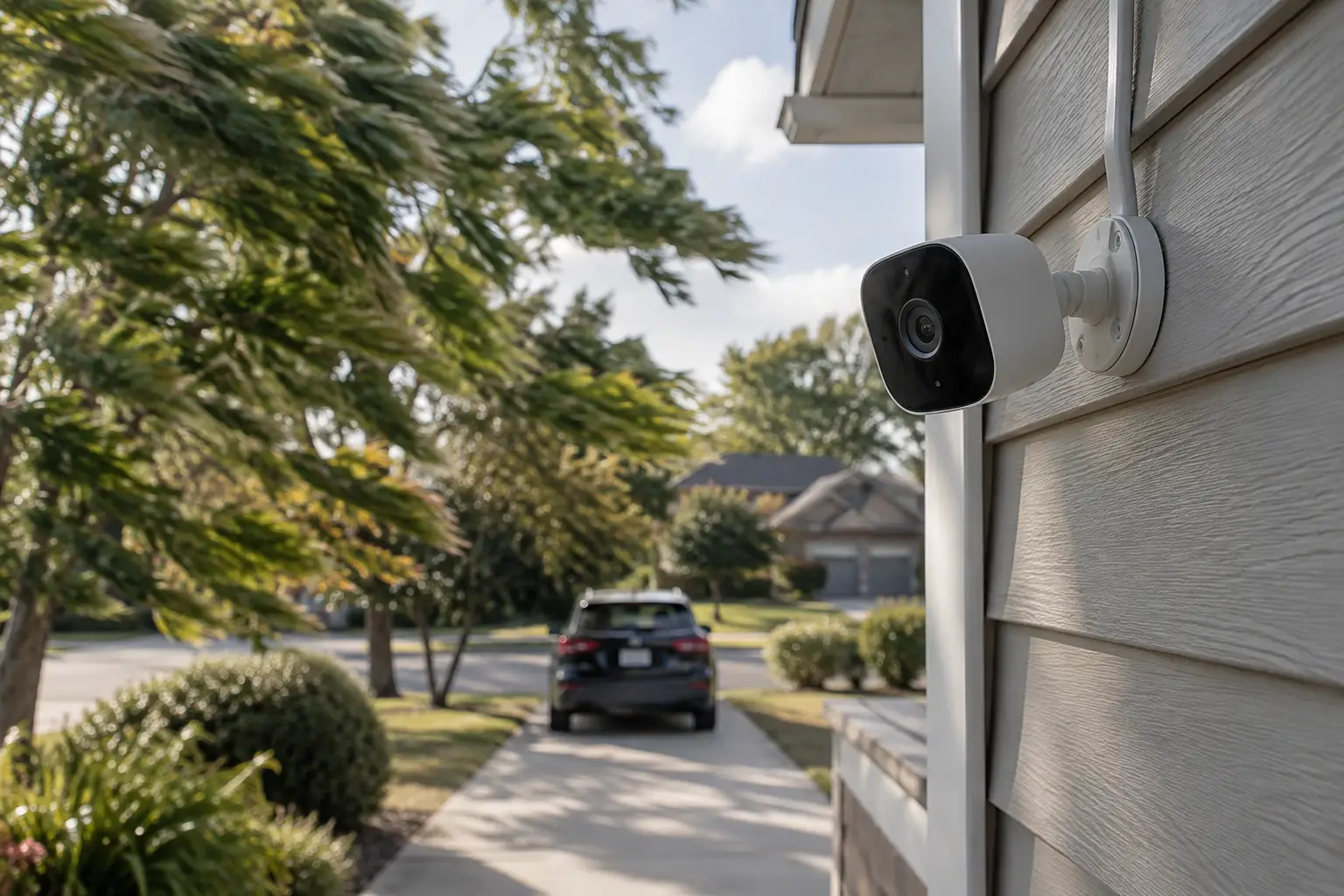
An alert should help you tell a delivery driver from an intruder. Our guide to connected and disconnected security systems explains how separate components create unnecessary notifications. Edge-based AI, which processes images on the camera itself, checks what the camera sees before sending an alert.
Practical check: If an empty driveway triggers more than two alerts a day, replace basic motion notifications with alerts that verify the subject.
Use our pre-installation checklist to plan camera positions with a clear line of sight. High-end processors can tell a person's walking pattern from a wandering dog's in fractions of a second.
Filtering Motion: Traditional PIR Detection Versus Computer Vision
The hardware you choose determines what your system notices. Older passive infrared (PIR) sensors look for changes in heat across their detection zones. Sunlight reflecting off a car windshield can trigger one of these sensors, making it report movement as though someone crossed your property.
Video from Cyber Mosaic: Can AI-powered home security systems learn your routine to prevent false alarms?
Detection Technologies at the Edge
Computer vision cameras use neural networks, software trained to recognize patterns, to check video frames against thousands of trained models. Read about algorithms and electrical standards through these technical resources. Visual processing helps a camera identify a person, vehicle or package before it sounds an alarm.
| Detection Option | Recommended Starting Point | What to Watch |
|---|---|---|
| Analog PIR sensor | Entry foyers and windowless storage spaces | Drafts, heat vents and sunlight glare |
| Cloud-based computer vision | Secondary outdoor walkways with fast fiber connections | Bandwidth spikes and delays in streamed video |
| AI processing on the camera | Main driveways, porches and property boundaries | Power use and chip temperatures during summer |
| Combined PIR and visual detection | Primary exterior doors and high-value yards | Needs stable electrical wiring and secure mounts |
Our smart home electricians install low-voltage lines that prevent power drops from rebooting cameras during recording. Unsteady voltage can cause skipped frames. Those gaps leave the detection software without images just as someone steps onto your driveway.
Matching AI Detection Profiles to Your Property Layout
A townhouse beside a shared sidewalk needs tightly drawn detection boxes. A detached home may need virtual boundary lines that cover longer views across the property. Setbacks and foliage affect both choices, and the wrong settings can cause repeated false alerts or missed arrivals.
For porch layouts, our guide to using smart security to prevent package theft explains what to consider. The right detection settings depend on what the camera can see and how people usually move through that space.
| Property Scenario | Recommended Choice | What to Avoid |
|---|---|---|
| Zero-lot townhome front entry | Tightly drawn detection zones with face and package recognition | Tracking every image change across public walkways |
| Suburban lot with heavy oak canopies | On-camera AI that filters out shifting shadows and leaves | PIR-based spotlights beneath swaying branches |
| Long driveway with vehicle traffic | Vehicle shape recognition with a minimum time in the zone | Instant boundary alerts triggered by road traffic |
| Fenced backyard with active pets | Filters that exclude pet-height movement and recognize human posture | Basic motion alerts across the entire view, running 24/7 |
Before you buy: Map street lighting and pedestrian paths before fixing a camera's mounting angle on exterior brick.
Pet owners need a system that works for pet sitters without sounding a siren every time the dog enters the yard. Advanced camera setups recognize four-legged animals and ignore them. A person entering through a side gate still triggers an immediate phone alert.
Interfacing Optical Processing With Hardware Hubs
On-camera video analysis needs to work with the rest of your smart equipment. A camera that spots an unexpected person after dark should switch on exterior lights to deter them and record clear video. Our review of hubs for connecting Ring, Nest and Lutron explains how controllers handle that connection.
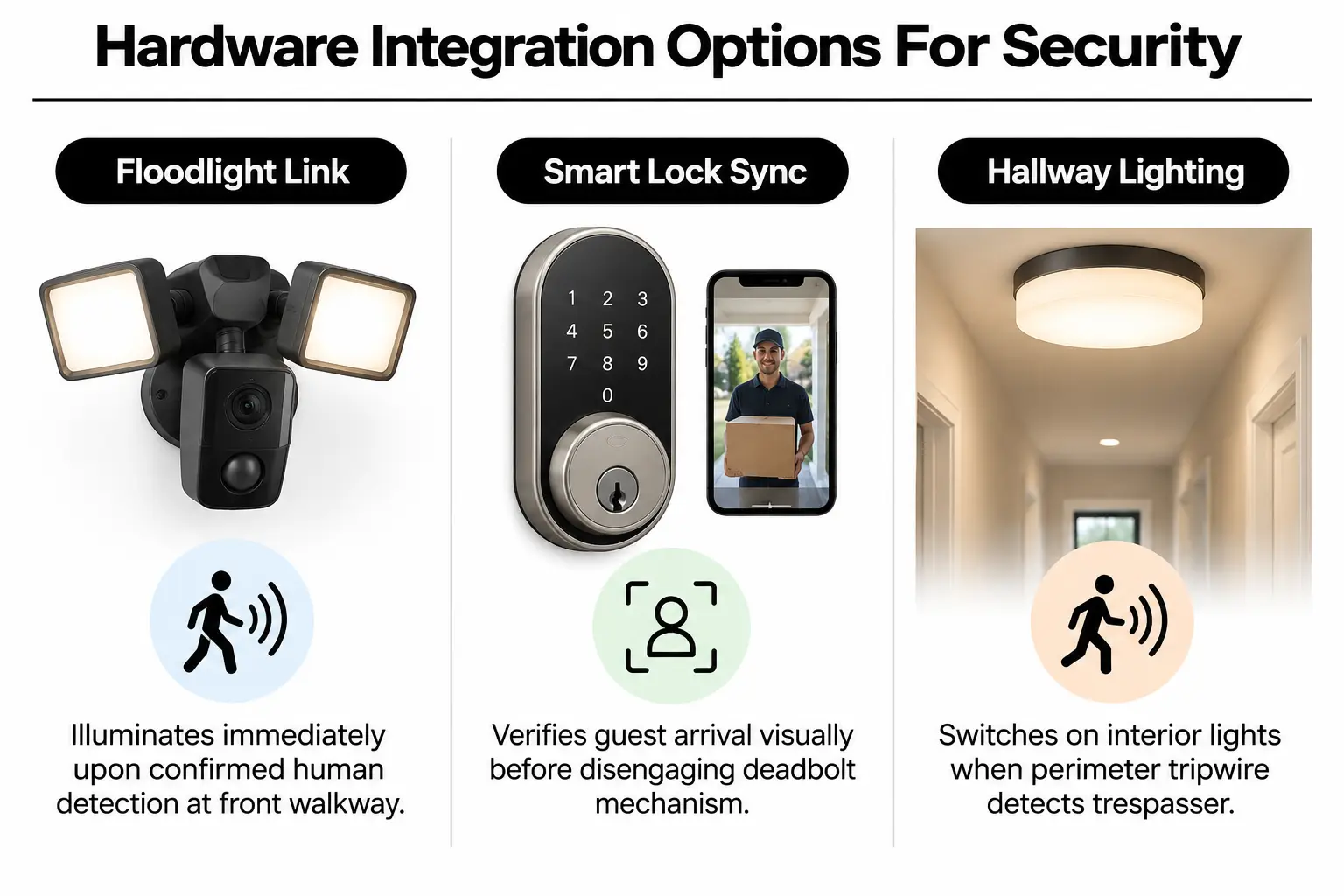
The Electrical Safety Foundation International also outlines electrical security requirements that help prevent wiring mishaps. Connected equipment can handle security tasks automatically, so you do not have to check camera feeds by hand every day.
| Detection Event | Hardware Integration Path | Validation Check | Intended Property Effect |
|---|---|---|---|
| Person detected at porch | Overhead floodlight turns on at 100% output | Check how quickly the light reaches full brightness | Clear full-color recording and a visible deterrent |
| Package dropped in zone | Quiet push notification to phone | Test whether envelopes stand out in low light | Immediate delivery confirmation without loud chimes |
| Person crosses rear boundary | Indoor smart switch lights the entry hallway | Check wireless response times through drywall | Suggests someone is home to discourage backyard intrusions |
| Animal roaming garden | Save event locally without alerting phone | Review motion clips after dawn | No midnight phone vibrations from stray animals |
Managing several hardware brands often means opening a different app for each sensor. Our guide to centralized smart home controls explains how Sterling homeowners bring those controls together.
Configuring Clean Neural Engine Triggers in Five Steps
Camera placement is only part of the installation. The detection settings decide whether the system stays quiet or keeps sending alerts for ordinary movement. At NovaProHome, our field engineers use these five steps when setting up cameras on local properties:
- Calculate focal heights: Mount cameras eight to ten feet above the ground to capture faces while keeping a broad view of the area.
- Establish restricted masks: Use the software's boundary tools to exclude swaying trees, neighboring driveways and overhead utility lines from detection.
- Set minimum dwell times: Require a moving shape to remain in a detection zone for at least 1.5 seconds before sending an alert.
- Assign confidence thresholds: Set the recognition software to require a strong match for a person before it sends a notification.
- Stress-test night optics: Walk the property boundary after dark with flashlights and check that vehicle glare does not set off false alerts.
Installer's rule: Do not run edge machine learning over weak wireless connections, where an unstable signal can cause dropped analysis frames and false events.
Unstable voltage in exterior wiring needs attention before you rely on the cameras. Read our breakdown of four common C-wire problems, which covers issues with the wire that supplies continuous power. Our licensed electricians help keep your hardware running throughout the year.
Balancing Sensor Quality and Processing Power
Low-priced cameras save money at purchase, but weak onboard chips often leave them dependent on cloud servers for analysis. That can mean monthly fees and slow notifications. Object recognition can also suffer in wind and rain, making the initial saving less useful.
Local neural processing units (NPUs), chips built to run AI tasks, eliminate subscriptions and keep video processing private. For homeowners comparing security system costs, better hardware can work out cheaper over three years than monthly cloud plans. Compare the ongoing fees with the purchase price before choosing.
| Budget Tier | What to Prioritise | What to Question |
|---|---|---|
| Entry tier ($) | Sturdy mounts and wired transformer power | Cheap plastic housings and mandatory cloud plans |
| Balanced setup ($$) | On-camera person and vehicle filtering, with SD card or hub storage | Battery-only supplies that sleep to save power |
| Engineered perimeter ($$$) | Dedicated AI chips, power-over-Ethernet wiring and connected lighting | Brand-specific wireless hubs without Matter compatibility or a local software interface |
Check our guide to smart home surge protection as you plan for reliable power and voltage drops. Good electrical protection helps safeguard expensive camera sensors against storm damage.
Common Inquiries Regarding AI Sensor Deployments
How does modern AI distinguish between pets and people?
Neural networks check body size and movement as they happen, including how fast the subject moves. A four-legged animal close to the ground has a different outline from a person. The chip recognizes that outline and filters it out before sounding an alarm.
Do AI security cameras work when the home internet goes down?
Yes, if the camera processes images itself instead of depending on the cloud. Its onboard AI chip can keep identifying people during a total network outage. Footage continues recording directly to local storage.
Can vehicle headlights sweeping a driveway trigger false visual alerts?
Basic motion sensors can repeatedly react to headlights sweeping across a driveway. Modern AI systems ignore those lighting changes because light alone has no solid shape. Before sending a vehicle alert, the camera checks for the body of a car.
Why does professional electrical wiring matter for AI cameras?
On-camera AI processing needs steady power and drains small batteries quickly. Hardwired connections installed by certified technicians keep high-frame-rate processing running without sudden overheating shutdowns or low-voltage interruptions.
Do I need an active subscription to access AI motion filtering?
Many mass-market brands charge a monthly fee for visual recognition features. Open hardware platforms designed for local processing let you analyze detections and store them at home without ongoing fees.
Deploying Verified Property Detection in Stone Ridge
A system that avoids false alarms needs careful design and steady low-voltage power, along with properly set detection software. At NovaProHome, we design connected security systems for Stone Ridge homes to protect the property without constant false alerts. Work through these checks before upgrading:
- Verify perimeter coverage: Check that mounting points have clear views that growing shrubs will not block.
- Assess transformer capacity: Make sure doorbell and floodlight lines can supply steady power without interruptions.
- Map motion boundaries: Mark the public paths and roads you want left out of detection zones.
- Review local storage preferences: Decide between saving footage on home network drives and storing it off-site.
- Connect with local specialists: Speak with a qualified specialist before drilling into exterior walls.
Contact our team to schedule an electrical assessment for your security system.
Ready to engineer your smart home?
Start with a free 20-minute discovery call. No pressure, no sales script — just a plan.