

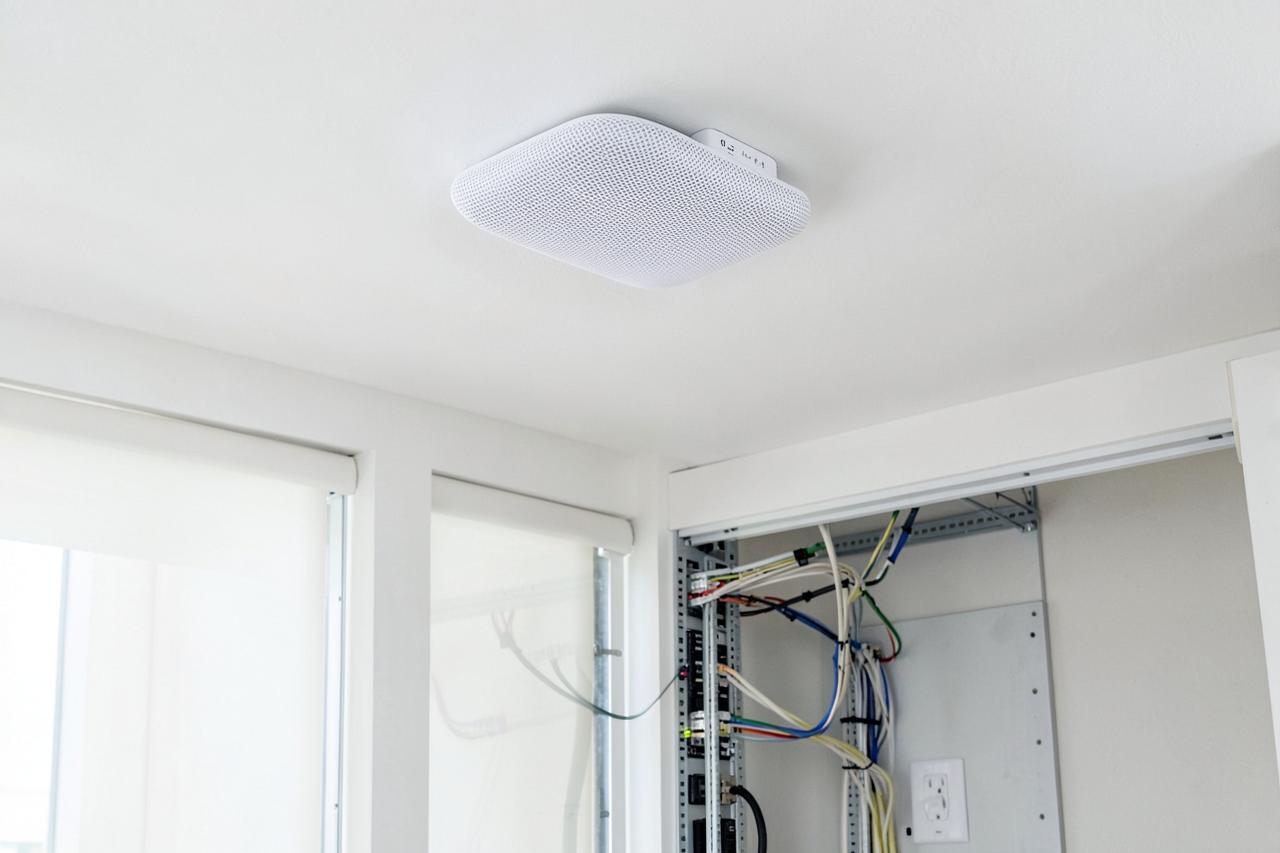
The layer every smart device quietly depends on
Offline cameras, stuttering speakers, and thermostats that lose their schedule are network problems far more often than device problems. We survey signal room by room, wire the access points properly, and hand you one network that reaches the garage, the basement, and the patio.
- Room-by-room signal survey
- Cat6 wired backhaul
- Structured wiring panels
- Separate IoT network
- $2M insured
New installation, or fixing what is already there
Roughly half of our work is repairing systems installed by someone else. Pick the track that matches your situation.
Coverage designed from a signal survey, not a box on a shelf
We measure signal in every room, place access points where the dead zones actually are, and run Cat6 backhaul so mesh nodes stop stealing bandwidth from each other. Cameras, thermostats, and speakers then simply stay online.
- Room-by-room signal and interference survey
- Ceiling or wall access points with wired Cat6 backhaul
- Structured wiring panel, patch panel, and labeled drops
- Separate guest and IoT networks for security
- Garage, basement, patio, and detached coverage
Dead zones, buffering, devices that drop offline
Cameras that go offline and speakers that stutter are almost always network problems wearing a smart-home costume. We measure, find the cause, and correct it instead of selling you another router.
- Dead zone mapping and access point repositioning
- Channel and band congestion fixes in dense neighborhoods
- Mesh handoff problems that drop streams mid-room
- ISP modem, double-NAT, and router configuration cleanup
- Adding wired drops where Wi-Fi will never be enough
Everything inside a NovaProHome install
Engineered, permitted where required, and documented before we leave your driveway.
Measured, not guessed
We record signal strength and interference in every room before recommending a single piece of hardware.
Wired backhaul
Access points fed by Cat6 wherever a path exists, so nodes stop consuming the bandwidth they are meant to deliver.
Access points, not pucks
Ceiling-mounted APs give even coverage in the drywall-and-brick construction common across Loudoun and Fairfax.
Structured panel
A labeled patch panel in the utility closet, so every drop in the house is identifiable years later.
IoT network separated
Cameras and smart devices on their own network keeps a compromised gadget away from your laptops.
Outdoor coverage
Patio, pool, driveway, and detached garage covered for cameras and EV chargers that need a real signal.
One name, one password
Seamless roaming through the house instead of manually switching between two networks.
EE-reviewed
Cable routing and power reviewed by a credentialed Electrical Engineer.
Know the number before we start
Labor pricing published up front. Devices supplied at retail price, or bring your own.
Network health visit
Credited to any install
- Room-by-room signal survey
- Interference and channel analysis
- Router and ISP configuration review
- Written findings and recommendation
Mesh coverage
Up to 3,000 sq ft
- Two to three access points placed by survey
- Wired backhaul where a path exists
- Guest and IoT networks configured
- All smart devices migrated over
Structured network
Whole home
- Cat6 drops to key rooms
- Patch panel, switch, and labeled rack
- Ceiling access points throughout
- Outdoor and garage coverage included
Four steps from call to walkthrough
Free discovery call
Square footage, construction type, and where the internet fails today.
On-site survey
Signal measured in every room and the cable paths identified.
Install & configure
Access points mounted, drops pulled, networks and roaming configured.
Verification
We retest every room and migrate your smart devices before we leave.
Wi-Fi & home networking FAQ
Why do my smart home devices keep going offline?
Nine times out of ten the device is fine and the network is not. Common causes are an access point too far from the device, congested 2.4 GHz channels in a dense neighborhood, or a mesh system handing the device between nodes mid-connection. A survey identifies which one applies.
Is mesh Wi-Fi enough, or do I need wired access points?
Mesh is fine for smaller homes with an open floor plan. In a typical Northern Virginia two-story with a finished basement, wireless backhaul loses roughly half its throughput per hop. Running Cat6 to each access point removes that penalty and is what we recommend whenever a cable path exists.
How much does home network installation cost?
A survey visit is $189 and is credited toward any install. Mesh coverage for a typical home starts at $649. A full structured network with Cat6 drops, a patch panel, and ceiling access points starts at $1,890. Every quote is fixed in writing.
Can you run ethernet without opening up my walls?
In most homes, yes. Attic and basement paths reach the majority of rooms, and we fish interior walls where framing allows. Where a path genuinely does not exist we agree the minimum access holes with you before cutting.
Will you work with my existing internet provider?
Yes. We keep your Verizon Fios, Xfinity, or other provider equipment and build the network behind it, correcting double-NAT and modem configuration issues along the way. No provider change is required.
Every category, engineered as one system
Most homes start with one category and add the next. We design so they connect later without rework.
Want the full picture first? See all NovaProHome services.
Book your free discovery call
Twenty minutes on the phone, a fixed written quote within 24 hours, and permits handled where the county requires them.