

What Is a Mesh Wi-Fi System for Smart Home Reliability?

It's incredibly frustrating when your expensive smart home gadgets just don't work right, isn't it? Maybe you bought into a Google Nest ecosystem — a Nest Doorbell, several Nest Cams, even a Nest Thermostat. You probably expected everything to run smoothly.
Instead, you're battling dropped connections, slow responses, or devices that just quit. Learn more about 9 Ways Novaprohome Wires Nest Cams For Leesburg Homes.
Often, the smart device isn't the problem. It's the network underneath it. Many homes in Northern Virginia, especially older or larger ones, struggle with Wi-Fi dead zones and spotty coverage. Learn more about South Riding What S Included In Novaprohome Ring System Installs.
This can tank even the best NovaProHome smart security systems. But there's a powerful fix for truly solid connectivity: a mesh Wi-Fi system.
This tech can genuinely change how your smart home performs. It makes sure every device, from your garage smart lock to your backyard security camera, stays connected and responsive. You're basically building a rock-solid foundation so your smart home actually does what it promised. Learn more about 7 Ways Novaprohome Wires Nest Cams For Arcola S Dead Spots.
What's Inside This Guide
- Fast Facts on Mesh Wi-Fi for Smart Homes
- The Real Reason Your Smart Devices Act Up
- Expert Insight on Network Stability
- Getting Started with a Stronger Smart Home Network
- Common Misconceptions About Home Wi-Fi
- Mistakes to Avoid with Your Smart Home Network
- Mesh Wi-Fi vs. Traditional Router: A Comparison
- Beyond Mesh: Related Smart Home Components
- No More Dead Zones: Mesh systems can boost usable Wi-Fi coverage by up to 30-50% in sprawling Northern Virginia homes. That's a huge difference!
- Better Reliability: A 2023 smart home survey found that 72% of users saw better device connectivity after switching.
- Handles More Devices: Mesh systems easily manage the growing number of smart gadgets. The average smart home now has around 20-30 connected items.
- Easier to Fix: Many mesh systems include handy apps for network management. This makes it simpler to find and fix connectivity issues yourself.
- Essential for High-Bandwidth Devices: You need a stable, strong signal for streaming 4K video from a Nest Cam or making sure your smart doorbell always connects. This isn't optional.

The Real Reason Your Smart Devices Act Up
Honestly, the biggest pain for smart home owners isn't usually the device itself. It's the network that supports it. A single router, even a powerful one, often can't reach every corner of a house. This is especially true in older Ashburn homes with thick walls.
You end up with weak signals and devices constantly disconnecting. That frustrating lag when you try to use your smart lock or check your security camera feed? Yep, that's it. A mesh Wi-Fi system fixes this by blanketing your home in consistent Wi-Fi.
Smart home devices, especially security cameras and doorbells, are only as good as their network connection. A strong, steady Wi-Fi signal forms the backbone for effective home security systems in Northern Virginia; it prevents dropped feeds and missed alerts.
Getting Started with a Stronger Smart Home Network
Upgrading your home network for better smart device performance doesn't have to be complicated. NovaProHome provides full home automation services, and that includes network setup. We'll handle everything so your smart home installation goes off without a hitch.
- First Look: We start by thoroughly checking your home's layout, current network, and the specific smart devices you plan to use. This helps us spot potential dead zones and signal interference, especially for your security systems.
- Custom Plan: Based on our assessment, our experts then design your whole smart home system. This includes finding the best spots for mesh Wi-Fi nodes to guarantee coverage everywhere.
- Professional Install: Our team handles the physical installation of the mesh Wi-Fi system. We make sure cabling and power supply are correct, which is super important for things like Google Nest Doorbell and Nest Cams that need constant power. And this also solves issues like tricky smart home wiring installs.
- Smooth Integration: Next, we connect all your smart devices, including Nest products, to the new network. We configure them for peak performance, ensuring complete Google Nest smart home integration. This avoids the headaches of incompatible smart home devices.
- Test It Out: Finally, we rigorously test the network and all connected devices. We verify reliable performance and strong signal strength throughout your entire home. You'll get a network you can genuinely trust.
Common Misconceptions About Home Wi-Fi
Many Northern Virginia homeowners still cling to some old ideas about Wi-Fi. Those ideas can actually hurt their smart home experience. It's easy to think your internet speed is the only thing that matters. But device connectivity is a completely different beast.
Myth 1: A Faster Internet Plan Fixes Everything. Not really. You could have gigabit internet, but if the signal can't reach your Nest Cam Pro in the garage, it simply won't matter. A faster plan delivers more data, sure. But a mesh system makes sure that data actually gets where it needs to be.
Myth 2: One Powerful Router Is Always Enough. For small apartments, maybe. For a multi-level house in Leesburg, probably not. Walls, floors, and even large appliances can block Wi-Fi signals, creating annoying dead zones. That's why a smart home electrician often suggests a spread-out approach.
Myth 3: All Smart Devices Connect the Same Way. Nope. Some devices, like older smart plugs, use 2.4GHz Wi-Fi. Others, like video doorbells, prefer 5GHz. A good mesh system smartly manages these connections, ensuring each device gets the band it needs for stable operation.
Mistakes to Avoid with Your Smart Home Network
When you're setting up a new smart home system, especially one as integrated as a Google Nest ecosystem, certain network missteps can cause endless frustration. These aren't just minor annoyances. They can actually mess up your entire smart home's efficiency and security. NovaProHome sees these problems all the time.
Forgetting about placement is a huge one. Tucking your router in a closet or a basement corner might seem neat, but it severely limits its reach. Smart devices on the edge of your Wi-Fi signal will constantly struggle.
This often leads to a weak or insufficient power supply for smart doorbells and other devices that need a consistent connection. Always think about things that might block the signal, like thick walls, big metal objects, or even mirrors.
Another common mistake is ignoring network security. An insecure Wi-Fi network is an open door for problems, not just for your personal data but for your smart devices themselves. Many smart devices, especially older or cheaper models, don't have much security built-in.
Just using the default password for your router, or easy-to-guess logins for your smart home apps, leaves you exposed. A strong, unique password for your Wi-Fi, plus a separate guest network for visitors, is a basic first step. Plus, regularly updating your router's firmware and your smart device software closes known security gaps.
Overloading your network is also a frequent oversight. As you add more smart devices—light bulbs, sensors, cameras, thermostats, speakers—each one uses bandwidth and processing power from your router. A basic router meant for casual internet browsing might quickly get swamped by dozens of smart devices constantly talking.
This leads to lag, unresponsive devices, and dropped connections. Investing in a router or mesh system specifically made for smart homes, with better processing and capacity for more clients, can prevent these headaches. NovaProHome helps clients figure out their current and future device needs to suggest the right network gear.
Finally, ignoring compatibility issues is a common pitfall. Not all smart devices play nicely together, and some need very specific network setups. For example, older smart home hubs might struggle with newer Wi-Fi standards (like Wi-Fi 6E).
Some devices prefer specific frequency bands (2.4GHz vs. 5GHz). Always check the compatibility requirements for your smart devices against your existing network hardware before you buy.
A professional smart home installer can often spot potential conflicts before they become big problems, saving you time and frustration.
Optimizing Your Network for Google Nest Devices
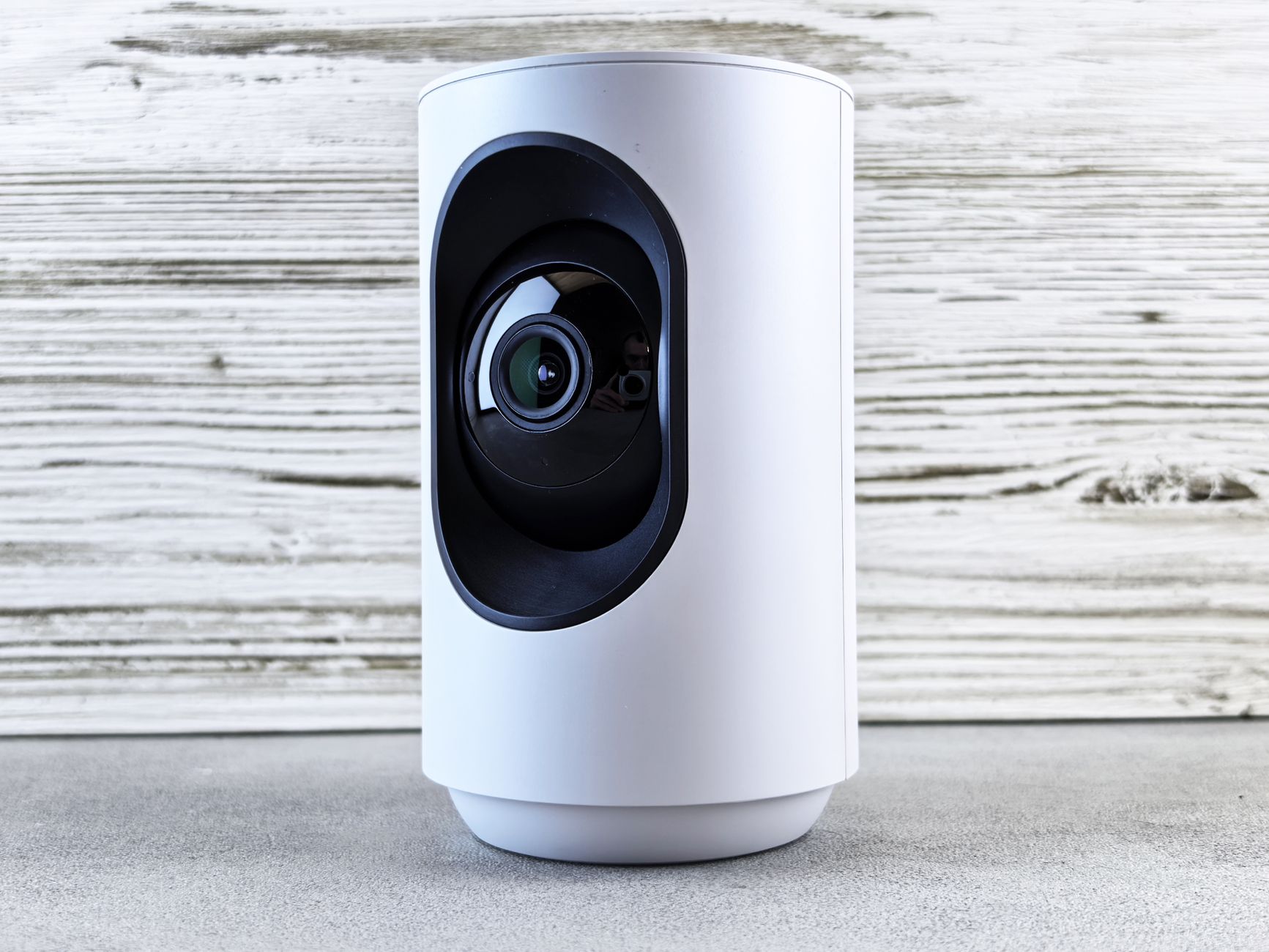
Google Nest products, everything from the Nest Thermostat to Nest Cams and Google Nest Hubs, are designed for easy integration and use. Even so, these well-engineered devices work best when your home network is properly set up. Making sure your network is configured correctly can really boost responsiveness, reliability, and your overall smart home experience.
One crucial thing is having enough bandwidth. Nest cameras, especially if you have several streaming high-definition video at once, use a lot of it. While your typical home internet connection might be fine for browsing, you need enough upload and download speed to handle multiple video streams *and* all your other smart home traffic.
Check your internet service provider (ISP) plan. Consider upgrading if your Nest Cams buffer or lag. Also, if your router has Quality of Service (QoS) settings, prioritize your Nest devices there.
This lets you give more bandwidth to specific devices or traffic types, so your Nest cameras get what they need.
Strategic placement of Google Nest devices matters, too. Nest devices are generally tough, but physical obstructions can still hurt their performance. For Nest Cams, make sure they have a clear path to your Wi-Fi router or mesh node.
For Nest Hubs and Speakers, put them in the middle of the rooms where you use them most. This helps them pick up voice commands and talk to other devices effectively. Don't put them inside cabinets or behind big electronics; that can mess with their Wi-Fi signal and microphone sensitivity.
And then there are the 2.4GHz and 5GHz Wi-Fi bands. This is particularly relevant for Nest devices. Many Nest products, especially older ones or those needing longer range (like outdoor cameras), mostly use the 2.4GHz band.
This band travels better through walls and covers a wider area. But it can also get more interference from other devices, like microwaves or cordless phones. Newer Nest devices might support 5GHz for faster speeds, but this band has a shorter range and struggles more with obstacles.
A good mesh system with band steering will smartly switch your Nest devices to the best band based on signal strength and congestion. But if you have an older, traditional router, you might need to manually ensure your Nest devices are connecting to the right band.
Regular firmware updates aren't just for security; they often include performance tweaks and bug fixes specifically for network connectivity. Set your Google Nest devices to update automatically. Similarly, keeping your router's firmware current can fix compatibility issues and improve overall network stability.
That directly helps your Nest ecosystem. NovaProHome recommends regularly checking for these updates, or letting their professional services handle these vital maintenance tasks for you.
Future-Proofing Your Smart Home Network
The smart home tech world is always changing. New devices, communication protocols, and security threats pop up regularly. To avoid constant overhauls and ensure your smart home stays efficient and secure for years, it's smart to build your network with future expansion in mind.
Future-proofing isn't about guessing every innovation. It's about creating a flexible, strong foundation.
One of the most important things for future-proofing is picking a scalable network setup. A strong mesh Wi-Fi system is usually a better long-term bet than just one powerful router. Mesh systems let you easily add more nodes as your home grows or as you add more devices.
You won't create new Wi-Fi networks or suffer from dead zones. Look for systems that support the latest Wi-Fi standards (like Wi-Fi 6 or Wi-Fi 6E, and soon Wi-Fi 7). These offer faster speeds, lower lag, and better handling of many simultaneous connections, all critical for a growing smart home.
Using open standards and protocols is another key part. While private ecosystems like Google Nest offer tight integration, a truly future-proof home often uses devices that support broader standards like Matter or Thread. These protocols let different smart home devices talk to each other smoothly, no matter the brand or system.
As these standards mature, they'll offer more flexibility and stop you from being stuck with one vendor's products. This makes it easier to integrate new devices from different makers down the road.
Think about wired connections for stationary, high-bandwidth devices too. This can significantly future-proof your network. Wireless tech is convenient, but Ethernet cables offer unmatched speed, stability, and security.
Devices like smart TVs, desktop computers, and even some smart hubs can really benefit from a wired connection. This frees up valuable wireless bandwidth for your mobile and less stationary smart devices. If you can, consider running Ethernet cables to key areas during construction or renovations.
It might seem like an upfront cost, but it drastically reduces wireless congestion and gives your network a reliable backbone.
Finally, plan for power and infrastructure beyond just network signals. Many advanced smart home devices, like high-definition security cameras or sophisticated lighting systems, need consistent, often higher, power. Make sure you have enough power outlets in strategic spots.
Also, think about Power over Ethernet (PoE) for devices like outdoor cameras or access points. These can get both power and data through a single Ethernet cable. Consider where you'll physically put hubs, gateways, and control panels.
Make sure they're easy to reach for maintenance but still blend into your home's look. A professional smart home electrician from NovaProHome can help design this complete setup, ensuring not just connectivity, but also reliable power and future adaptability for your evolving smart home.
Ready to engineer your smart home?
Start with a free 20-minute discovery call. No pressure, no sales script — just a plan.